Home > Small Business Phone Systems > Integrations > Lawmatics
Ooma Office and Lawmatics integration

Ooma Office and
Lawmatics Integration

Connect Ooma Office and Lawmatics to put lead and client details at your fingertips on every call, so your team can follow up faster, stay organized and sign more clients.

Grow your firm one call at a time.

Build stronger client trust icon

Build stronger client trust

Greet every caller with confidence, since Caller-ID pops show their current Matters before you answer.

Save time on every call icon

Save time on every call

Skip the search. Caller-ID pops link straight to the matching Lawmatics contact profile in one click.

Grow your client base icon

Grow your client base

Turn first-time callers into contacts by saving their information to Lawmatics while you’re still talking.

Get more done each day icon

Get more done each day

Notes you take during and after calls save to Lawmatics, ready to power its AI-driven tasks.

Keep your team in the loop icon

Keep your team in the loop

Texts sent from Ooma Office save to Lawmatics as notes, so everyone can see what clients share by text.

Protect your revenue icon

Protect your revenue

Calls sync to Lawmatics with the option to flag them for billing, so billable time doesn’t slip by.

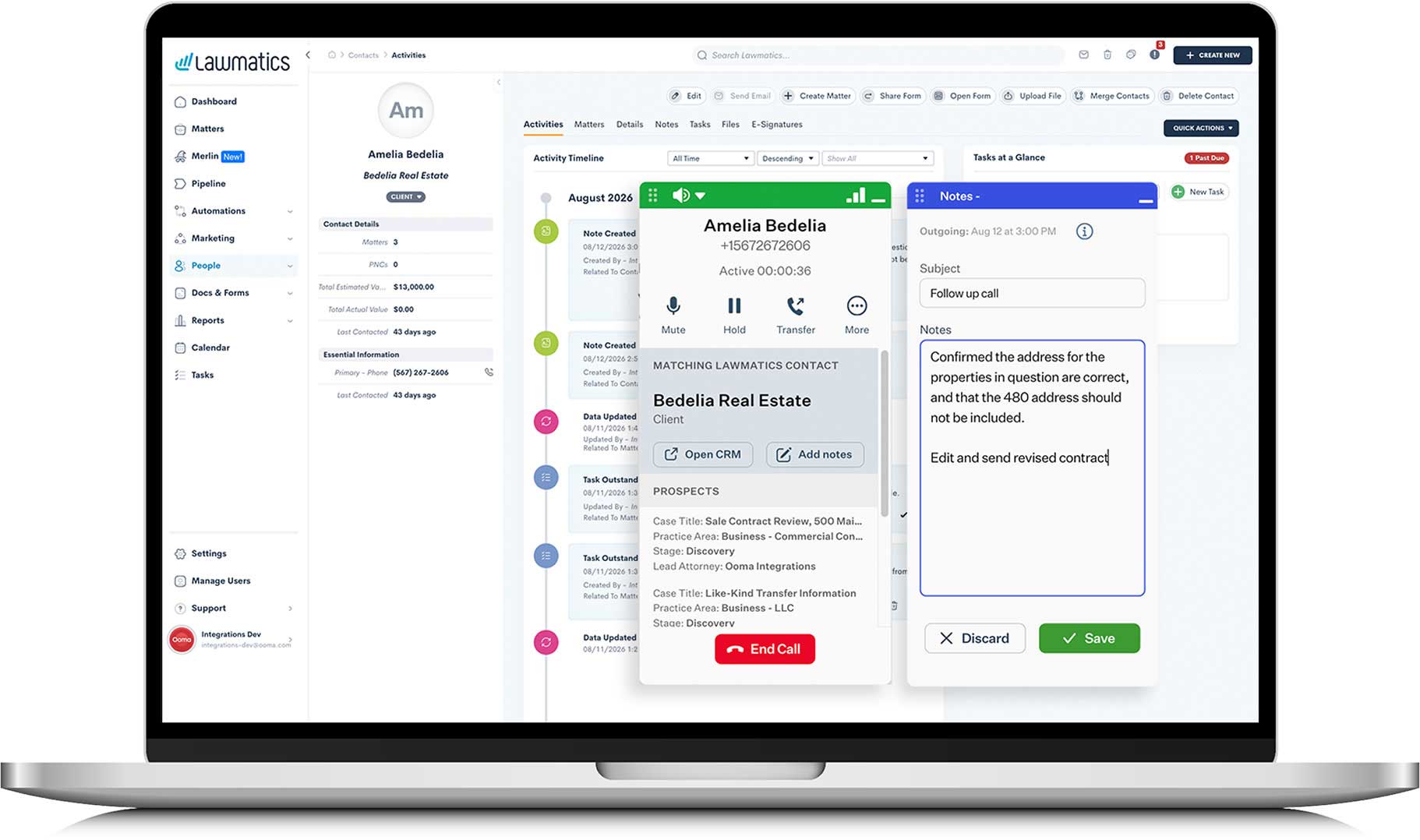
Ooma Office call window and notes shown inside Lawmatics

Key integration features:

  • Sync your Lawmatics contacts to your Ooma Office phone book.
  • Preview Contact details, including recent Matters and outstanding Tasks on incoming and outgoing calls.
  • Take notes during your call, and instantly view them in Lawmatics as a Contact Note.
  • View your call log data inside Lawmatics Activities and Notes.
  • Save SMS messages sent from your Ooma Office account to your Lawmatics Activity feed.
  • Available with your Ooma Office Pro Plus account.

Lawmatics Integration FAQs

Explore more Ooma Office Integrations