Home > Small Business Phone Systems > Integrations > Clio Grow
Ooma Office and Clio Grow integration

Ooma Office and
Clio Grow Integration

Give every client a more personal conversation. Access client profiles and proactively manage intake data during phone calls with the Clio Grow platform integration.

Bring your calls and cases together with ease.

Make clients feel valued icon

Make clients feel valued

See callers’ names and case details in a Caller-ID pop before you answer, so you can greet them personally.

Work more efficiently icon

Work more efficiently

Client details are a click away since the Caller-ID pop links straight to the matching Clio Grow contact.

Capture billable hours icon

Capture billable hours

Call logs are logged to Ooma Office and Clio Grow, so the complete client timeline is ready for billing.

Never miss a new lead icon

Never miss a new lead

Turn first-time callers into contacts by saving their information to Clio Grow while you’re still talking.

Keep every conversation icon

Keep every conversation

Have a complete record at your fingertips with call recordings and texts saved to Clio Manage.

Focus on clients, not notes icon

Focus on clients, not notes

Stay present on every call while Ooma AI saves summaries and transcripts to your Clio Manage files.

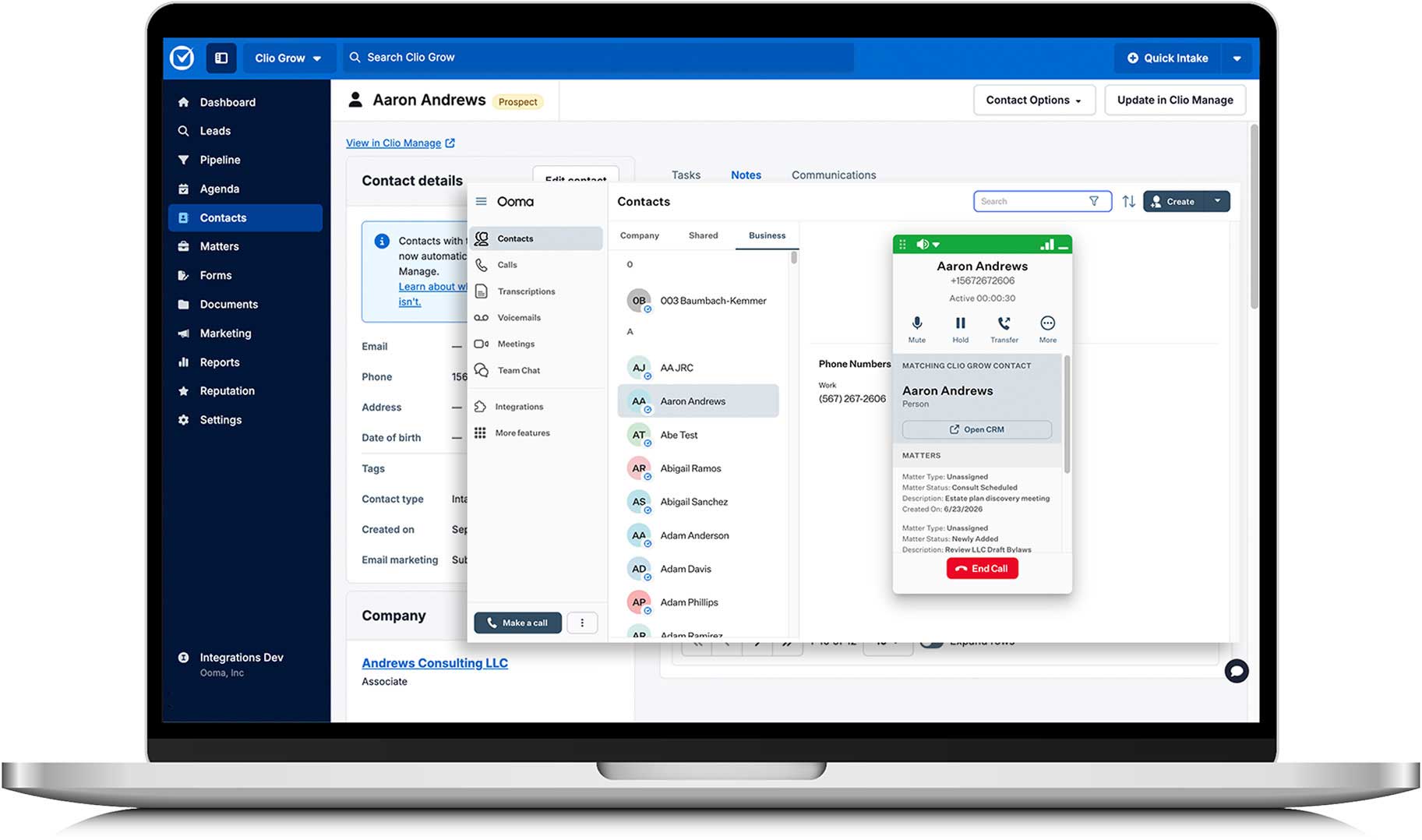
Ooma Office call window showing a matching Clio Grow contact

Key integration features:

  • Sync your Clio Grow phonebook to Ooma Office.
  • Preview Contact details on incoming and outgoing calls.
  • Log your call data inside Clio Grow.
  • Available with your Ooma Office Pro Plus account.

Clio Grow Integration FAQs

Explore more Ooma Office Integrations