




Your business probably already has a Wi-Fi router in use today. In some cases, you can re-use your existing router to install Ooma Connect. In other cases, you may need to purchase a new router. If you need to purchase a new router, we have a few recommendations to help you get started.
Router and modem are separate devices
If your existing Wi-Fi router is separate from your Internet Service Provider’s (ISP’s) modem, as shown in the diagram below, then you can use it with Ooma Connect. This is usually the case if you purchased the router yourself. Third-party routers are commonly made and sold by Netgear, Linksys, TP-Link, Eero, Orbi, Google Wi-Fi, Asus, and more.
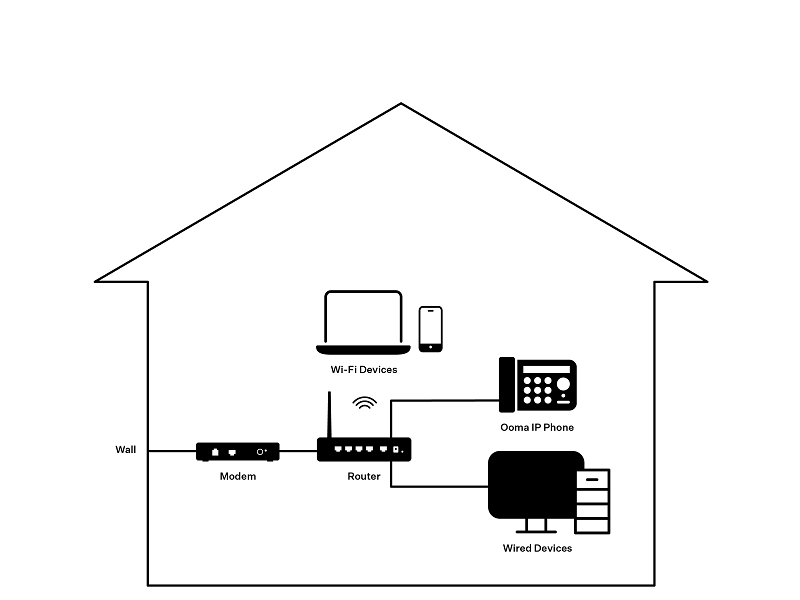
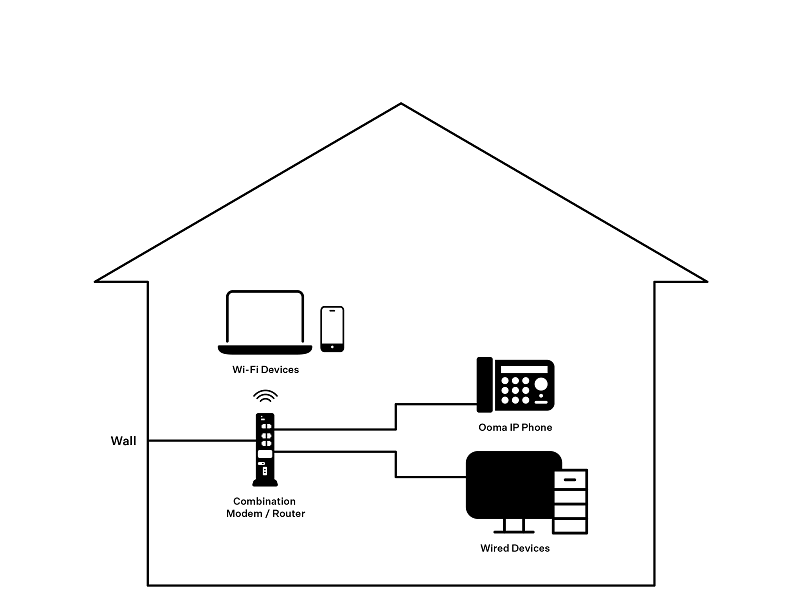
Router and modem are combined into one device
If your current Wi-Fi router is combined with the ISP’s modem, as in the diagram below, you will need to purchase a new router to use with Ooma Connect.
Once you have determined which Wi-Fi router to use, you will want to connect it to the LAN port of the Ooma Connect base station, as outlined in this article.