




Last Updated: July 21, 2025
You can create a Paging Group by following these instructions:
- Log in to office.ooma.com as an administrator and navigate to the Settings page.
- Click Add and select Paging Group from the dropdown menu.
- Name your Paging Group.
- Click Add Members. Your display will automatically populate with all the user devices that can be assigned to your new Paging Group, as shown below:
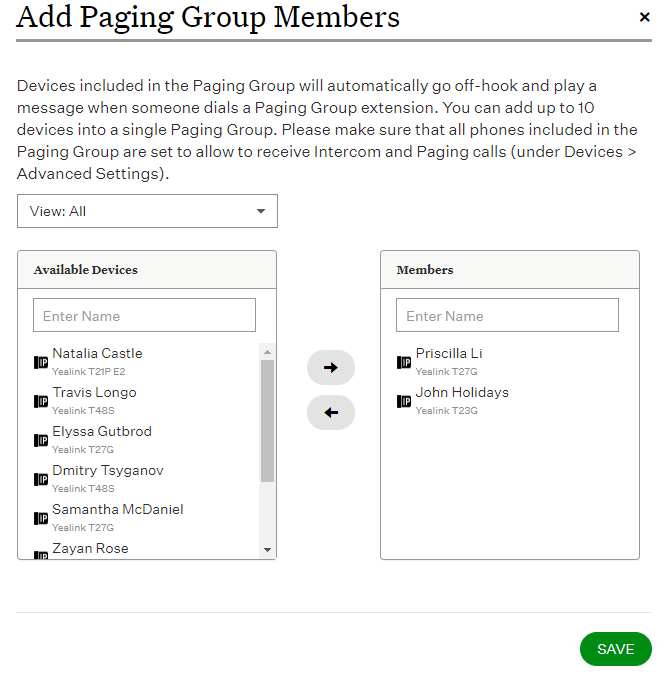
Click  to add the users whose IP Phones should be paged when this extension is dialed. 5. Save your changes to complete the Paging Group setup.
Once you have created the Paging Group, you can assign it to a programmable button on a phone that supports this feature by following the instructions in this article.