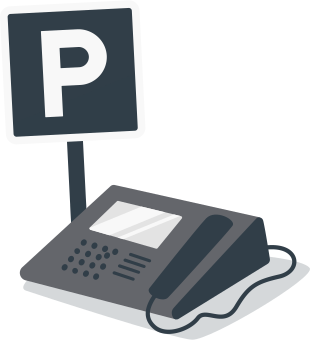
Call Park streamlines communication in teams that regularly share responsibility for incoming calls. Instead of trying multiple extensions or relying on warm transfers, any teammate can retrieve a parked call from their own device the moment they’re ready, reducing bottlenecks and boosting responsiveness.
Call Park with Ooma Office
Call Park takes the convenience of a call transfer and provides even greater flexibility. Ooma Office users can put callers in “parking spots” that allow them to switch devices or change location without losing the call. For the customer, it feels like they’re on hold, but Call Park allows businesses to stay connected to the customer better than ever.
GET STARTEDWhat is the Call Park feature?
Parking a call places an active caller on hold in a user-defined “parking spot.” This means that anyone on the team who knows the parking spot can retrieve the call and address the needs of the customer. There are several ways that this feature can be used with Ooma Office:
- You can park a call, then retrieve the call from a new extension.
- You might need to locate the person who needs to retrieve the call. In this case, you can park the call until the transferee is available to pick it up.
- This feature is also useful if a user needs to put an active call on hold without tying up the line.
How is Call Park different from a call transfer?
While Call Transfer and Call Park do have similar functions, there is an important distinction between the two features. Unlike Call Transfer, which requires a specific transfer destination, a parked call can be retrieved from any device by any user who knows the parking spot.
What are the benefits of the Call Park feature?
The Call Park feature makes it easy for teams to manage customer or client calls. Rather than simply transferring a caller to a specific person who may not be available to answer the call, the call park feature lets anyone on the team with knowledge of the parking spot to pick up the call and address the needs of their customers or clients.
Likewise, customers can get their needs addressed quickly. Long wait times are among some of the biggest frustrations that customers have when calling into a company, so this feature could help minimize those issues.
Note: If the user has configured the parking spot in one of the configurable buttons, they will have a visual indicator if a call has been parked on that spot.
Watch this informative video to get a visual guide of how you can use the Call Park feature at your business.
Using Call Park is easy
You can choose any number for a parking spot. However, it’s recommended that you use one- to four-digit numbers to make it easy for other users to retrieve the call.
To learn how to park and retrieve a call, check out our extended Ooma Office FAQs.
Customize Your Phone System
FAQs
Call Park is particularly useful for businesses where staff are often away from their desks or work in distributed spaces—such as retail floors, warehouses, medical practices, auto shops, property management offices, and customer service teams with shared duties. This makes it easy for staff members to pick up an existing customer call and continue helping them even as they may move between phones or even between buildings.
Because parked calls can be picked up by any authorized user, there’s less risk of a caller being transferred multiple times or stuck on hold while someone tries to locate the right employee. The right employee for the call can simply pick up the call wherever they are, no transfer needed. This helps reduce abandonment rates and creates a smoother customer experience.
In many cases, yes. While call transfer works well for direct handoffs, Call Park eliminates the need to repeatedly try different extensions or interrupt staff. Instead, the call is placed in a neutral spot where the right person can retrieve it on their own schedule—especially helpful when employees are mobile or multitasking.
High-traffic environments benefit from the ability to quickly move callers to an available parking spot while staff coordinate who will take the call. This keeps lines free, maintains momentum, and ensures that incoming calls continue to flow without tying up individual phones.
Training is minimal. Parking a call and retrieving it involves a simple number sequence that employees can learn in minutes. This makes Call Park an attractive feature for businesses that onboard new staff frequently or want to simplify call handling protocols.
Yes. Depending on the device setup, employees using supported mobile and softphone apps can pick up parked calls, making the feature valuable for hybrid or mobile teams that aren’t tied to a physical desk phone.
Ooma’s system includes behaviors such as returning the call to the original user or following preset call handling rules if the parked call isn’t retrieved in four minutes. This prevents callers from being forgotten and keeps your response flow consistent.
Very much so. Instead of juggling multiple transfers or paging staff repeatedly, receptionists can park calls quickly and rely on employees to pick them up from wherever they’re working. It makes front-desk operations more organized and less disruptive.
Call Park allows employees across different areas of a building—or even different suites or floors—to retrieve calls easily without needing a direct transfer. This is especially useful for organizations with multiple departments spread across a wider footprint.