


Changing the account’s time zone
Publish Date: July 21, 2025
Last Updated: November 1, 2025
Last Updated: November 1, 2025
It is important to make sure that the time zone is correct for your Ooma Office account so that your business hours are accurately reflected, and to ensure that voicemails get the correct timestamps.
You can check and update the time zone by following these directions:
- Log in to office.ooma.com as an administrator and navigate to the Settings page.
- Click System, then navigate to the General tab.
- Select your local time zone from the dropdown menu:
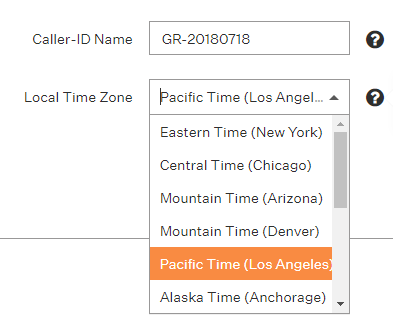
- Click Save.
If you do not see your local time zone on the drop-down menu, please contact our Customer Care team.