Explore the Ooma AirDial® Knowledge Base
Your guide to replacing legacy POTS phone lines, whatever your industry or device.
Browse Topics by Industry
See how organizations like yours handle compliance, monitoring, and life-safety lines.


Popular Videos
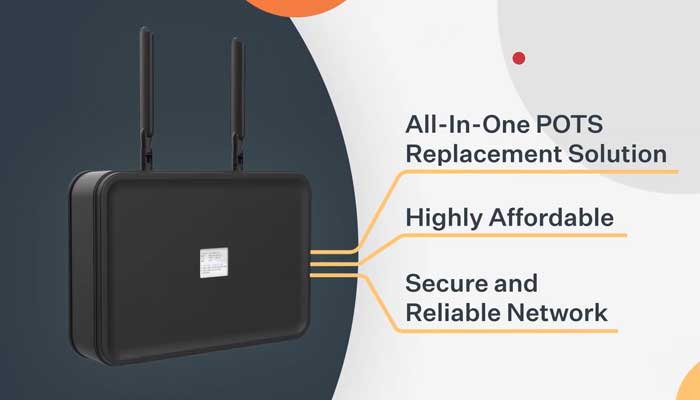
What is Ooma AirDial?

Ooma AirDial: Remote Device Management Portal

Ooma AirDial at CP Group

Ooma AirDial at Phoenix Senior Living
Filter Resources
Explore hundreds of free AirDial and POTS line replacement guides, tools, case studies and educational content.
Browse Topics by Device Type
No need to rip and replace your existing safety devices. AirDial works with a wide variety of use cases.


Case Studies
How organizations retired copper across their sites while keeping fire, elevator, and security lines online.
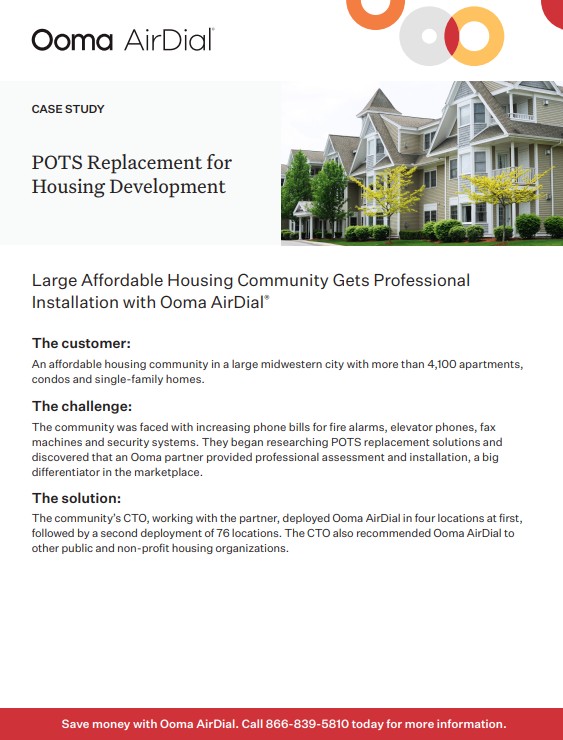
Ooma AirDial Case Studies for POTS Line Replacement
Check out all the case studies for POTS line replacement with Ooma AirDial. View or download case studies for your industry today.
View Ooma AirDial Case Studies for POTS Line Replacement
POTS Replacement Case Study for Energy & Utilities
Large affordable housing community with over 4,100 apartments, condos and homes gets professional POTS replacement installation with Ooma AirDial.
View POTS Replacement Case Study for Energy & Utilities
Healthcare Case Study for POTS Replacement
Get the details on how Ooma AirDial can support your healthcare organization with POTS line replacement.
View Healthcare Case Study for POTS Replacement
Real Estate POTS Replacement Case Study
This datasheet provides helpful information on how Ooma AirDial meets the needs of Real Estate agencies for POTS line replacement.
View Real Estate POTS Replacement Case Study
Education Organizations Save Money with AirDial
Get details on how educational organizations can benefit from using Ooma AirDial for POTS replacement.
View Education Organizations Save Money with AirDial
POTS Replacement for Senior Living Facilities
See how a large operator of senior care facilities got a 45-day notice of POTS line shutdown and turned to Ooma AirDial for help.
View POTS Replacement for Senior Living Facilities
POTS Replacement Case Study for Housing Development
Large affordable housing community with over 4,100 apartments, condos and homes gets professional POTS replacement installation with Ooma AirDial.
View POTS Replacement Case Study for Housing Development
POTS Replacement Case Study for Government
See how a prominent California city with over 35,000 residents was able to increase reliability for safety phones with Ooma AirDial POTS replacement.
View POTS Replacement Case Study for Government
POTS Replacement in Medical Practices Case Study
Large multigroup specialty medical practice saves money by switching over 30 locations to Ooma AirDial POTS replacement solution.
View POTS Replacement in Medical Practices Case Study
Retail POTS Replacement Case Study
Global luxury goods retailer turns to Ooma AirDial to quickly replace POTS lines in 125 stores in less than a month. Read how it happened.
View Retail POTS Replacement Case Study
POTS Replacement Case Study for Manufacturing Company
See how a synthetic materials maker escapes price hikes for POTS lines and future-proofs infrastructure by switching over to Ooma AirDial.
View POTS Replacement Case Study for Manufacturing Company
Hospitality POTS Replacement Case Study
See how Ooma AirDial saved the day for POTS line replacement for a 200-location resort after they struggled with two other vendors.
View Hospitality POTS Replacement Case StudyFrost & Sullivan Selects Ooma as the 2026 POTS Replacement Leader
“AirDial delivers the security, compliance, and functional robustness required to support critical devices.”
We would love to get to know you and your business. Please complete our short form to download the PDF.
Where are you in the process?
Browse resources based on your situation, whether a carrier just sent a shutdown notice or you are planning a multi-site rollout.



Frost & Sullivan Best Practices Leader in POTS Replacement 2026

Elevator World Ellie Award Best Communication System Supplier 2025

Channel Vision Visionary Spotlight Award End User Portal 2026

Internet Telephony Product of the Year 2026

Merit Award Gold Winner in Security and Cloud Services 2026