





Last Updated: July 21, 2025
The Virtual Receptionist lets you assign one-touch dial capability to up to ten users. You can assign a user’s extension to one of the Virtual Receptionist’s keys by following these instructions:
- Log in to office.ooma.com as an administrator and navigate to the Settings page.
- Locate the Virtual Receptionist that you wish to manage and click the corresponding line.
- Click the box that corresponds to the telephone key to which you would like to assign the user.
- Select “Transfer call to extension” from the dropdown menu:
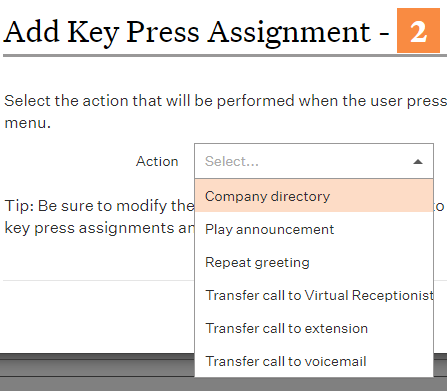
- Select the extension from the dropdown menu that appears.
- Click Save.