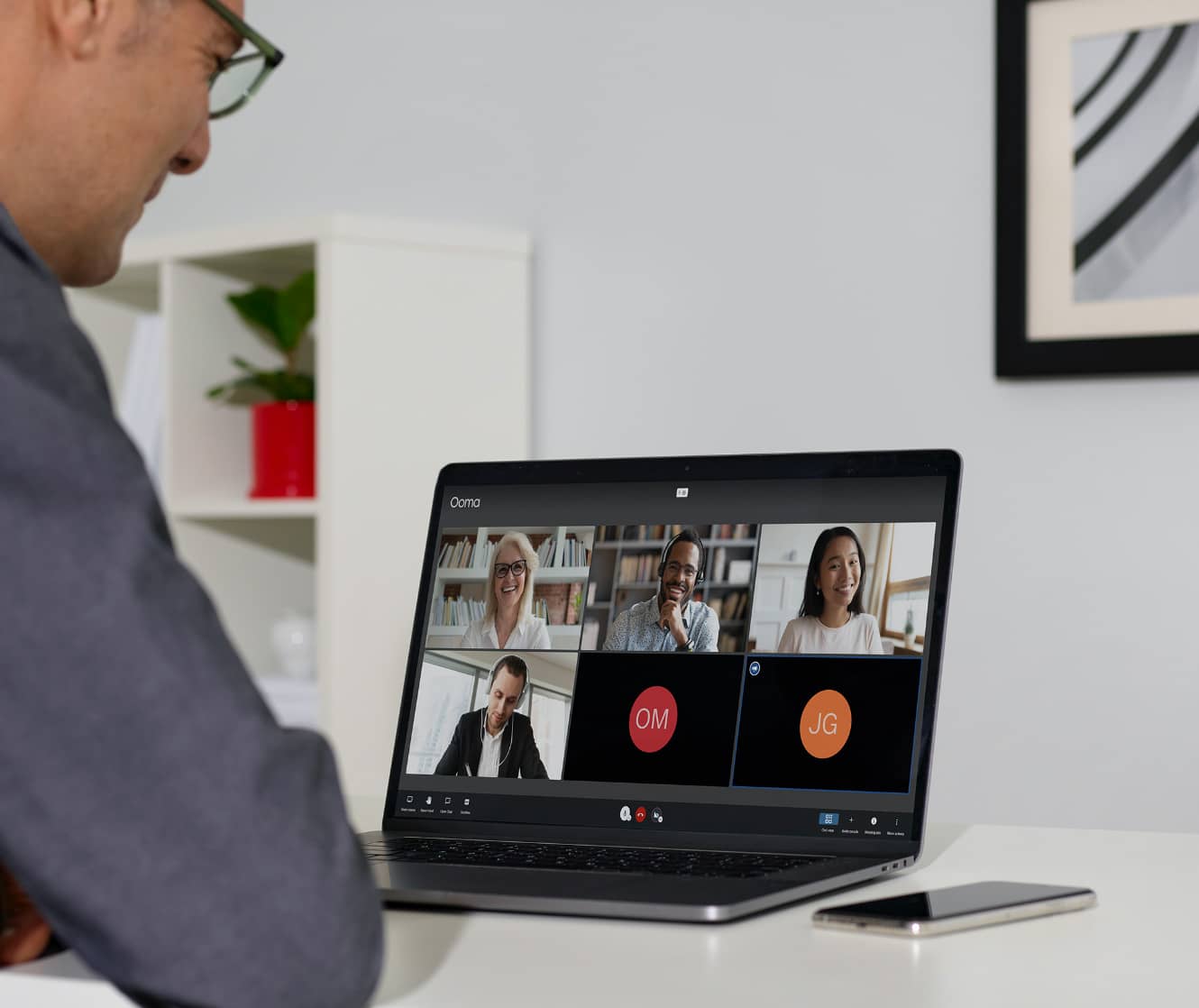
Get the phone system that helps you do more business.
With features like a Virtual Receptionist, CRM Integrations and videoconferencing, Ooma Office enables you to enhance your customer service and collaborate with your team more efficiently.
Unlimited Calling in U.S., Canada, Mexico, and Puerto Rico
Unlimited calls to mobile phones and landlines in the U.S., Canada, Mexico and Puerto Rico.
Low International Rates
Minimal per-minute fee charged for outbound calls made to countries outside of the U.S., Canada, Mexico and Puerto Rico.
911 Service
Connects 911 calls to local responders, ensuring fast emergency response.
FREE Number Transfer
Transfer (port) your existing business phone number from your old phone company to Ooma.
One FREE Toll-Free Number
Enable callers to reach your business from anywhere in the U.S. without paying long-distance fees.
500 minutes of inbound calls per month
500 minutes of inbound calls per month
500 minutes of inbound calls per month
Main Company Number
Primary business phone number that can be set up with a new account, or ported from a previous service.
One Direct-Dial Number Per User
Unique phone number for each user that can be dialed directly.
Easy Installation
Deploy Ooma Office in about 15 minutes without technical expertise.
Administration and Support
User Management Portal
Each user has their own login to the End User Portal so they can manage extension preferences.
Multi-site Admin and Management
Whether your business has a single small presence or multiple locations across a city or state, Ooma Office can easily accommodate as many locations as necessary.
Bulk User Import
Add many users to system at one time using easy bulk importing.
24×7 Customer Support
Customer care agents are available 24x7x365 whenever you need assistance
Call Management Features
AI Transcriptions
Ooma AI transcribes and summarizes every call, giving you actionable insights that help you provide better service to your customers.
Virtual Receptionist
Greet and direct callers to the right employees or departments without picking up the phone. Answer questions like office directions and operating hours; play on hold music and promotional messages.
Virtual Receptionist with Unique Greetings, Menus and Actions
Analog Fax Machine Support
Analog fax machine support enables seamless faxing over traditional phone lines in VoIP systems.
Call Park
Place an active caller on hold in a user-defined “parking spot” so other team members can retrieve the call.
Call Park for Desktop App
Place active calls on hold in a user-defined parking spot, so they can be retrieved by other users.
Music On Hold
Play pre-recorded audio messages or music as callers are placed on hold.
Transfer Music
Engage callers with music while they wait for calls to be transferred.
Extension Dialing
Extension dialing options to meet the needs for your business.
Extension Monitoring
Monitor status of Ooma Office user extensions and perform a variety of actions with a single click.
Call Forwarding
When turned on, all incoming calls to an extension are temporarily redirected to a specified number.
Virtual Extensions
User extensions assigned to each user that will be making or receiving calls.
Voicemail
Every user extension comes with a private voicemail that is automatically set up when the extension is created.
Call Transfer
Transfer calls blindly, announce or explain the transfer, or directly transfer calls to an extension’s voice mail.
Company Directory
Digital phonebook listing employee names and extensions for easy call routing.
Call Logs
View history of all incoming and outgoing calls. Individual and admin views available.
One Conference Bridge per User
Virtual meeting space for multiple participants to join a single VoIP call, enabling real-time audio collaboration.
Forward Calls During Device Outages
Transfer calls to other active numbers or devices if outages occur.
Virtual Fax
Send and receive faxes from anywhere using digital technology instead of an analog fax machine.
Distinctive Ringtones
Unique ringtones that can be assigned to individual users or extensions for easy recognition.
3-Way Calling
Connect and communicate with two other people in a single call.
7-Digit Dialing
Call local numbers easily without entering the area code.
Call Blocking
Block specific phone numbers from reaching any extension, individually or in bulk.
Intercom
Users dial an Ooma Office extension and have the receiving device pick up calls with its speakerphone, creating a two-way audio call.
Overhead Paging
Link existing overhead paging system to Ooma Office phones.
Paging Groups
Page specific departments such as sales, customer service, inventory, accounting and more.
IP Phone Paging
One-way voice announcement sent to multiple IP phones, allowing users to make public announcements or notifications over the phone system.
Flexible Numbering
Assign user extensions from 1000 to 9999.
3-Digit Extensions
Enables direct dialing to specific departments or staff using just 3 numbers.
Enhanced Call Blocking
Stop robocalls by screening incoming calls against more than 2M known spam numbers.
Voicemail Transcription
Every user extension comes with a private voicemail that is automatically set up when the extension is created.
Call Recording
On demand and always-on recording enables you to easily archive and retrieve phone conversations.
Dynamic Caller ID
Assign star codes to empower users to change their caller ID name and number on the fly.
Hot Desking
Users log into any unassigned IP phone to make and receive calls just as they would from the phone assigned to their extension.
Find Me, Follow Me
Receive calls on multiple devices that ring at once or in sequence.
Shared Voicemail Boxes
Up to 10 voicemail boxes can be accessed and monitored by multiple users.
Call Screening
Ask callers to record their name as an extra layer of protection against phone spam.
Mobility Features
Desktop App for Windows
Convenient desktop app so employees can use the business phone system right from their Windows computer.
Yes (without calling)
Desktop App for Mac
Convenient desktop app so employees can use the business phone system right from their Mac computer.
Yes (without calling)
Desktop App for Google Chrome
Convenient desktop app so employees can use the business phone system right from their Google Chrome computer.
Yes (without calling)
Mobile App for iOS
Ooma Office application for IOS smartphones that provides access to VoIP service while away from your office phone.
Mobile App for Android
Ooma Office application for Android smartphones that provides access to VoIP service while away from your office phone.
Simultaneous Ring
Enable multiple phones to ring in unison, providing flexibility to answer calls from any device or location.
Voicemail-to-Email Audio Files
Voicemail can be sent directly to a user’s email for easy, on-the-go listening with an attached audio file.
Extension Dialing to App
Send calls from extensions to mobile app.
Call Transfer from App
Transfer mobile calls to an extension, voicemail or personal phone number.
Call Flip
Seamlessly transfer an active call between devices without interruption.
Virtual Fax
Send and receive faxes from anywhere using digital technology instead of an analog fax machine.
Team Collaboration
Conference Calling
Participate in conference calls from anywhere at any time by dialing into a conference bridge from a desk phone, mobile phone, or from the Ooma Office Desktop App.
Up to 10 participants
Up to 25 participants
Up to 100 participants
Videoconferencing
Intuitive video meetings platform that enables teams to collaborate from wherever, whenever
Up to 25 participants
Up to 100 participants
Microsoft Office 365 Calendar Integration
Connect Ooma Meetings accounts with Microsoft calendars to have all meetings listed in one view.
Google Calendar Integration
Connect Ooma Meetings to Google calendar accounts to see all meetings listed in one view
Simultaneous Screen Sharing
Ooma Meetings empowers two or more people to share screens simultaneously.
Videoconferencing Recording
Record meetings to access or download later.
Online Whiteboarding
Enables users to draw, present and export ideas to transform ordinary video meetings into faster, more fluid collaboration.
Team Chat
Communicate and collaborate with colleagues in real time.
Team Presence
Gain insights into employee availability statuses (online, offline, on a call and busy) in real-time.
Text Messaging
Text Messaging
Send and receive text messages from smartphones, tablets, desktops or laptops.
250 messages per month
1,000 messages per month
Bulk SMS Packages
Purchase additional SMS messages in bulk at discounted prices.
Ooma Office Pro makes meeting with your team, partners or customers easy. Call and text with our mobile app. Or use the desktop app with softphone to make calls and access Ooma Meetings, our powerful videoconferencing platform.
Get your business ready for all sorts of possibilities with Ooma Office Pro Plus.
Get your business ready for all sorts of possibilities with Ooma Office Pro Plus. Prepare for the future with advanced hybrid working tools like Hot Desking. Handle high call volumes like a pro with Call Park or by setting up a simple call center with Call Queuing.
CRM Integration
Ooma Office Pro Plus makes it easy to seamlessly integrate with CRM applications such as Clio, AgencyZoom, NexHealth, Square and more. Preview details such as customer name, recent purchases and upcoming appointments to streamline business communications and customer interactions.
We know you’re busy, so we make it easy to get started. Ooma Office works right out of the box and you don’t need any technical knowledge to set it up. Most customers have their Ooma business phone system up and running in less than 15 minutes.
How is this business phone system different from other service providers?
Ooma Office combines the ability to have unlimited lines for your business with an easy do-it-yourself setup and reduced monthly service costs. We offer a full suite of business phone features designed to deliver a great communications experience to inbound callers before, during and after business hours with settings you can control from anywhere.
Ooma Office has over 100 features that can help your business. To learn more about Ooma Office features, visit the business phone system page for more information about how our service can streamline your business communication needs.
How much can I save with a small business VoIP phone?
With service plans starting at just $19.95 per user, per month (which includes a phone extension), Ooma Office can help small businesses save between 40% to 60% compared to their current provider's monthly per line charge.
Note: Unlimited calling is included with Ooma Office subscription fees but monthly taxes and fees still apply due to federal regulations.
Traditional business landlines typically cost between $40 to $50 per line per month, depending on features. Ooma Office plans start at just $19.95 per user, per month, so cost savings is a primary reason why so many people switch.
Find out how much your monthly bill will be reduced and how much your taxes and fees will be with Ooma Office Essentials service by checking out the Ooma small business savings calculator.
Can I get a toll-free number with a small business phone service?
Many small businesses make it a priority to set up a toll-free number for their customers. Not only does this allow their customers to get more general information about their business and locations, but it also gives small business owners a nationwide presence and helps them look more professional.
Setting up a toll-free number with Ooma Office is simple and straightforward.
How to add a toll-free calling plan
If you're planning on receiving a lot of toll-free calls, you can also add a toll-free calling plan to your Ooma Office account.
If you receive more than 500 minutes of incoming toll-free calls each month, you may want to subscribe to a toll-free calling plan to reduce the cost to your business. Ooma Office currently offers two toll-free calling plans:
$15 per month for 1,000 additional minutes of toll-free number calling (1,500 minutes total per month). Additional minutes are charged at 2.9¢ per minute.
$30 per month for 2,500 additional minutes of toll-free number calling (3,000 minutes total per month). Additional minutes are charged at 2.4¢ per minute.
What is a business office phone system?
Internet phone systems use the internet to connect callers with one another. Using Voice over Internet Protocol (VoIP) technology, telecom providers like Ooma also allow business callers to make phone calls from iOS and Android devices using their company’s phone number.
VoIP phone systems give companies greater flexibility and mobility with their business lines compared to traditional business landline phones. Business phone systems go further with VoIP too, gaining important features you may be used to on your mobile phone, like text messaging, voicemail transcription and more.
Features of Business Phone Systems
One of the biggest features of cloud-based phone systems is a virtual receptionist. You can generate automated voice messages that direct your customers to different departments and locations through one central business phone number. Because business VoIP systems operate in the cloud, it means that your employees can handle business communications from office desk phones as well as mobile phones with ease.
Business phone systems using VoIP offer many other important communication features including:
Conference bridge
Call transfers
Modes for business hours and after hours
Voicemail
Caller-ID
Music on hold
Ring groups, and more.
Advantages of Cloud Phone Systems
Affordability
Compared to the setup costs of traditional landline phones, cloud-based office phone systems are much more cost-effective. There’s no need for professional installation or IT personnel (many cloud systems are DIY), and you won’t have to worry about contracts.
Mobile Phone Enabled
With the rise of remote workers, traveling workers, and widespread smartphone use in general, mobility features are a huge selling point for VoIP systems.
Scalable
Cloud-based technology also enables businesses to add extensions for new employees digitally as their company grows. For small and medium sized businesses, this is particularly beneficial because they don’t have to pay for an intrusive, expensive installation process.
Easy Setup
Cloud-based business phone systems often have a do-it-yourself setup. Usually all you need is a high-speed internet connection, access to your service’s user portal to manage settings and whatever hardware you are using, whether it’s a traditional business VoIP phone or smartphone.
Reliable Service
Having great call quality is a must for businesses. VoIP systems can intelligently prioritize voice traffic even during congested network conditions, so every call you make is crystal-clear despite bandwidth-intensive tasks.
Who Benefits Most from VoIP Office Systems?
VoIP can be the right choice for small businesses due to its low cost, simple setup, ease of use and the ability to scale quickly as business grows. IT and infrastructure for traditional phone systems can be expensive and time-consuming. Cloud-based systems are also ideal for small businesses because managers can add new employees and seamlessly use their main business phone number in multiple locations.
To learn more about cloud phone systems or business VoIP, check out our suite of solutions for small businesses and enterprise phone systems and watch the customer testimonial below.
How do I add more employees to my business phone system?
Ooma Office has an intuitive web portal that allows you to scale as your business grows.
for a new hire, you can set up their personal extension through their mobile device and download our award-winning mobile app for business calls. These options allow your new employee to get up and running straight away and could also be an excellent solution for remote workers or employees who travel frequently.
You can also always buy an additional analog or IP phone from Ooma or purchase an analog phone at your nearest retailer and add an additional line through an Ooma analog-to-internet adapter.
Ooma Office Pro and Ooma Office Pro Plus users can record phone calls. Users may need to record phone calls for various reasons, including customer service training, creating a formal record of verbal sales transactions and complying with industry requirements or best practices.
There are two ways to record calls with Ooma Office Pro and Pro Plus, and both are simple to use – either permant recording for selected extensions or on demand.
AI can create logos, content, and marketing assets in seconds, but that does not always mean your business owns the result. This guide explains how current U.S. copyright law treats AI-generated content, why human authorship still matters, and what businesses should do to reduce legal and branding risks. […]
Train new employees on your VoIP phone system in just 30 minutes using a simple framework that covers system basics, call handling etiquette, and real-world practice. This guide walks business owners through fast, effective phone training that helps new hires confidently answer, transfer, and manage calls from day one. […]
Your phone system may feel like a fixed overhead cost, but it can have a measurable impact on revenue, productivity, retention and operational efficiency. This guide explains how to calculate ROI on a business phone system using costs and returns you may already be tracking. It also highlights common mistakes to avoid and practical ways to improve the value your phone system delivers over time. […]
Trace the evolution of office technology from early offices and printing to computers, communications, security, and AI—highlighting the innovations that transformed how people work and collaborate over centuries. […]