How to avoid fraud and scams in 2025
 | November 11, 2025 | 12 min read |
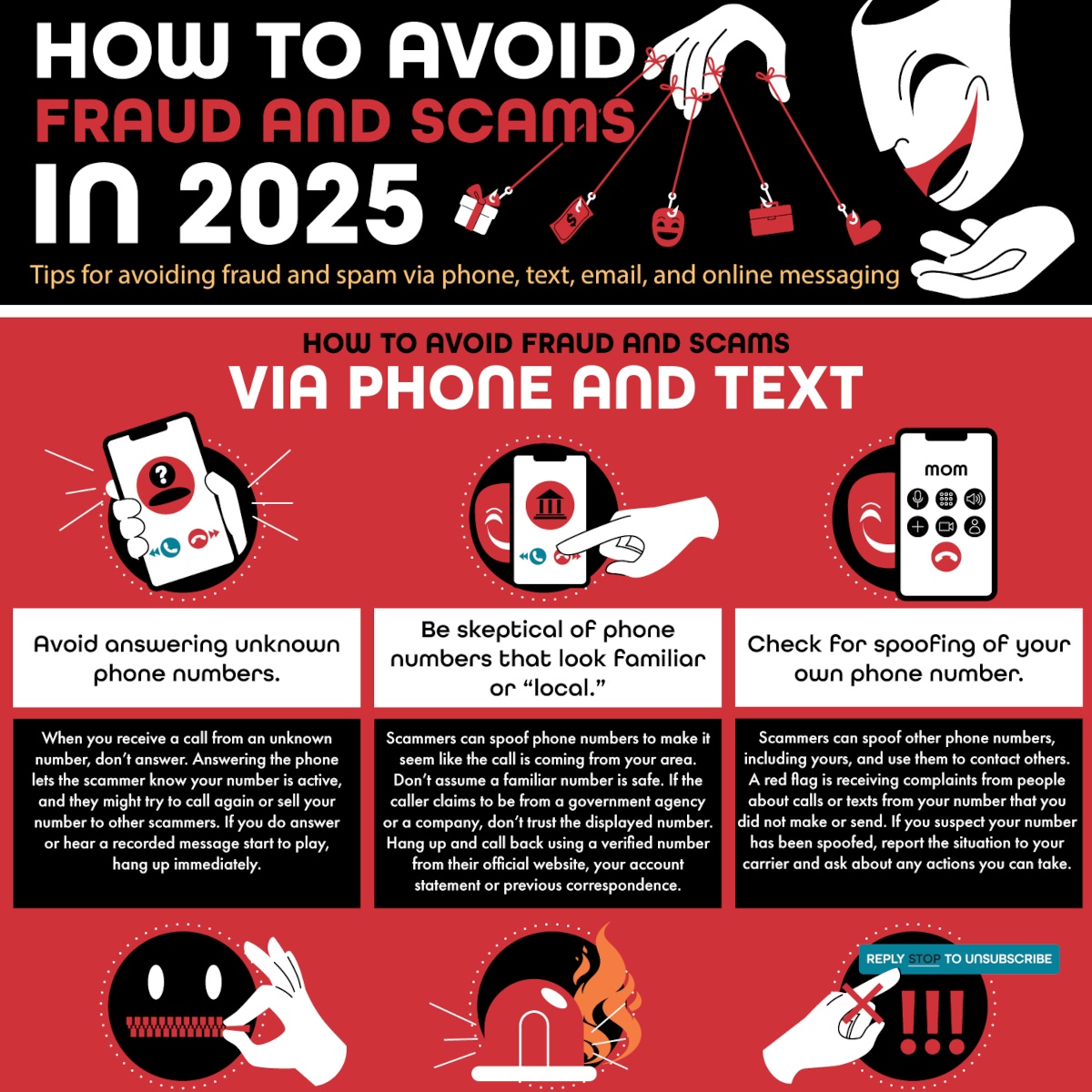
In 2024, Americans lost nearly $2 billion to phishing scams. Since our phones, computers and tablets are now our main ways to stay connected, they have also become some of the most common entry points for malicious actors trying to steal from us.
As technology advances, the methods scammers use to commit fraud have become more personal and convincing. But despite the increasing sophistication of scammers, staying vigilant and aware can still help you stay ahead of them. is pulling back the curtain on the modern con artist’s playbook with a guide on how to stay safe from scammers in 2025 and beyond.
The evolving world of scams and phishing attacks
The sheer volume of fraudulent activity targeting Americans is staggering, affecting 73 percent of U.S. adults. Two-thirds of Americans report receiving scam phone calls, emails or text messages that attempt to defraud them of personal information at least weekly. While not all of these attempts result in losses for the victims, around one in three people who reported fraud have lost money, a statistic that has risen from one in four since the previous year. This data shows that phone scams and email scams are becoming more effective.
One of the most significant changes in recent years is the widespread use of neighborhood spoofing. Scammers can now disguise their location, making a call appear to come from a familiar or local number, increasing the likelihood that you’ll answer. Once you pick up, they deploy a range of time-tested scripts, often impersonating a government agency like the IRS to claim you owe back taxes or pretending a family member is in trouble and needs money immediately. These emotionally charged scenarios are designed to make you panic and act without thinking.
The same principles apply to digital messages. Phishing scams now frequently arrive via text message, a practice known as “smishing.” These urgent-sounding messages often contain links to track a package, claim a prize or verify an account, but they actually steal your credentials or install malware on your device. Similarly, in email scams, fraudsters craft messages that appear to come from trusted senders, such as colleagues, managers or major brands. These messages often contain links to fake login pages that steal credentials or attachments that install malware.
At one time, these scammers could be identified by their typo-filled text and strange use of language. However, with AI entering the scene, these scams are becoming increasingly realistic. Grammar errors and awkward wording are disappearing, and a scam message in 2025 can sound exactly like your boss or your bank.
Recognizing scams/phishing and smart strategies to avoid them
To recognize scams and phishing attempts, you have to know how they work and the manipulative tactics scammers use. Whether it’s through a phone call, text or email, a scammer’s primary goal is to create a sense of urgency or fear. For example, they might threaten you with legal action, account suspension or other dire consequences if you don’t act immediately. Scammers understand that fear can make it harder for people to think critically, and they use that to make us reveal personal information or even transfer money.
For this reason, the best strategy is proactive, making it harder for bad actors to reach you in the first place.
How to protect yourself from phone and text scams and fraud
- Let unknown numbers go to voicemail. Answering unknown calls confirms your number is active and may result in more spam calls.
- Don’t trust a number just because the area code is local, as numbers can be made to look like they’re coming from anywhere.
- Watch out for your number being spoofed. If you hear from people who claim to be receiving strange calls from your number, report it to your carrier.
- Never share sensitive information over the phone. No legitimate company asks for your full Social Security number over the phone.
- If the caller is pressuring you or trying to get you to act urgently, hang up and check their claim independently.
- Ignore links in text messages, as they often lead to phishing pages or malware.
- Beware of anyone asking you to pay through unusual means like gift cards and cryptocurrency.
- Use spam filters and call-blocking tools.
- Make use of multi-factor authentication for your accounts and have a PIN to access your voicemail.
- Forward spam texts to 7726 (SPAM) to help your carrier track scam patterns.
- Stay up to date on how fraudster tactics are evolving.
How to protect yourself from email and online messaging scams and fraud
- Always go directly to a website rather than clicking on links in emails.
- Check the sender’s full address, as display names can be spoofed.
- Hover your mouse over links to verify the address is legitimate.
- Use phishing-resistant authentication like security keys and authenticator apps rather than SMS when possible.
- Enable link and attachment protection in your email account.
- Look for red flags in emails or messages, like urgent tones and requests for money.
- Use sensitive accounts with a separate email address.
- Keep your software and devices up to date.
- Train with phishing simulations so you’re prepared for when an attack occurs.
- Be aware that AI is being used to make scams seem more legitimate.
- Have a plan in place. If you do fall for a scam, change your passwords and notify your bank immediately.
While it’s not foolproof, each of these steps disrupts a scammer’s strategy, which may be enough to keep your assets safe. Every ignored call, unclicked link and secure password you create makes you a more challenging target.
Protecting your communication channels is the first line of defense against email and phone scams. For families and businesses seeking reliable, secure phone service, Ooma can assist in your efforts to build a safer digital environment.
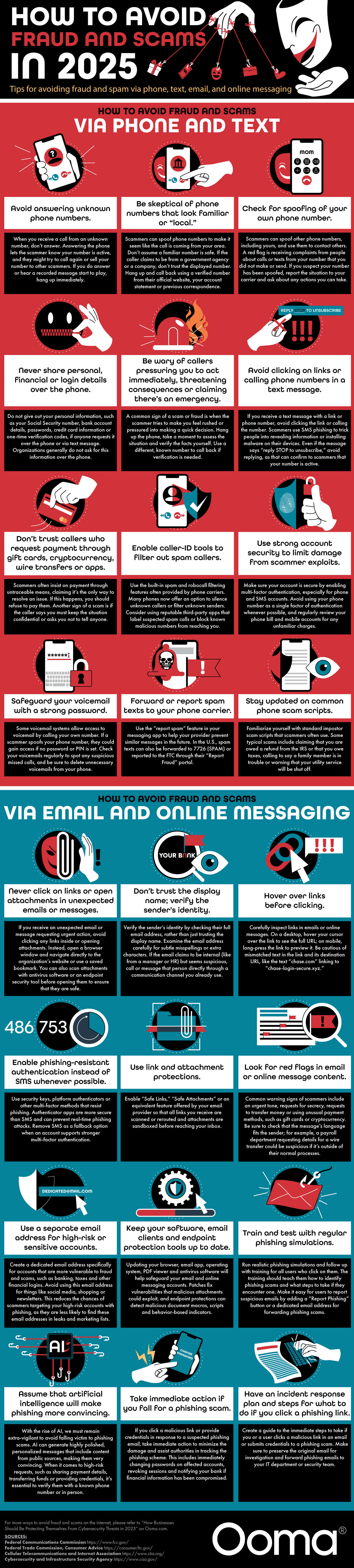
How to avoid fraud and scams via phone and text
Avoid answering unknown phone numbers
When you receive a call from an unknown number, don’t answer. Answering the phone lets the scammer know your number is active, and they might try to call again or sell your number to other scammers. If you do answer or hear a recorded message start to play, hang up immediately.
Be skeptical of phone numbers that look familiar or “local”
Scammers can spoof phone numbers to make it seem like the call is coming from your area. Don’t assume a familiar number is safe. If the caller claims to be from a government agency or a company, don’t trust the displayed number. Hang up and call back using a verified number from their official website, your account statement or previous correspondence.
Check for spoofing of your own phone number
Scammers can spoof other phone numbers, including yours, and use them to contact others. A red flag is receiving complaints from people about calls or texts from your number that you did not make or send. If you suspect your number has been spoofed, report the situation to your carrier and ask about any actions you can take.
Never share personal, financial or login details over the phone
Do not give out your personal information, such as your Social Security number, bank account details, passwords, credit card information or one-time verification codes, if anyone requests it over the phone or via text message. Organizations generally do not ask for this information over the phone.
Be wary of callers pressuring you to act immediately, threatening consequences or claiming there’s an emergency
A common sign of a scam or fraud is when the scammer tries to make you feel rushed or pressured into making a quick decision. Hang up the phone, take a moment to assess the situation and verify the facts yourself. Use a different, known number to call back if verification is needed.
Avoid clicking on links or calling phone numbers in a text message
If you receive a text message with a link or phone number, avoid clicking the link or calling the number. Scammers use SMS phishing to trick people into revealing information or installing malware on their devices. Even if the message says “reply STOP to unsubscribe,” avoid replying, as that can confirm to scammers that your number is active.
Don’t trust callers who request payment through gift cards, cryptocurrency, wire transfers or apps
Scammers often insist on payment through untraceable means, claiming it’s the only way to resolve an issue. If this happens, you should refuse to pay them. Another sign of a scam is if the caller says you must keep the situation confidential or asks you not to tell anyone.
Enable caller-ID tools to filter out spam callers
Use the built-in spam and robocall filtering features often provided by phone carriers. Many phones now offer an option to silence unknown callers or filter unknown senders. Consider using reputable third-party apps that label suspected spam calls or block known malicious numbers from reaching you.
Use strong account security to limit damage from scammer exploits
Make sure your account is secure by enabling multi-factor authentication, especially for phone and SMS accounts. Avoid using your phone number as a single factor of authentication whenever possible, and regularly review your phone bill and mobile accounts for any unfamiliar charges.
Safeguard your voicemail with a strong password
Some voicemail systems allow access to voicemail by calling your own number. If a scammer spoofs your phone number, they could gain access if no password or PIN is set. Check your voicemails regularly to spot any suspicious missed calls, and be sure to delete unnecessary voicemails from your phone.
Forward or report spam texts to your phone carrier
Use the “report spam” feature in your messaging app to help your provider prevent similar messages in the future. In the U.S., spam texts can also be forwarded to 7726 (SPAM) or reported to the FTC through their “Report Fraud” portal.
Stay updated on common phone scam scripts
Familiarize yourself with standard impostor scam scripts that scammers often use. Some typical scams include claiming that you are owed a refund from the IRS or that you owe taxes, calling to say a family member is in trouble or warning that your utility service will be shut off.
How to avoid fraud and scams via email and online messaging
Never click on links or open attachments in unexpected emails or messages
If you receive an unexpected email or message requesting urgent action, avoid clicking any links inside or opening attachments. Instead, open a browser window and navigate directly to the organization’s website or use a saved bookmark. You can also scan attachments with antivirus software or an endpoint security tool before opening them to ensure that they are safe.
Don’t trust the display name; verify the sender’s identity
Verify the sender’s identity by checking their full email address, rather than just trusting the display name. Examine the email address carefully for subtle misspellings or extra characters. If the email claims to be internal (like from a manager or HR) but seems suspicious, call or message that person directly through a communication channel you already use.
Hover over links before clicking
Carefully inspect links in emails or online messages. On a desktop, hover your cursor over the link to see the full URL; on mobile, long-press the link to preview it. Be cautious of mismatched text in the link and its destination URL, like the text “chase.com” linking to “chase-login-secure.xyz.”
Enable phishing-resistant authentication instead of SMS whenever possible
Use security keys, platform authenticators or other multi-factor methods that resist phishing. Authenticator apps are more secure than SMS and can prevent real-time phishing attacks. Remove SMS as a fallback option when an account supports stronger multi-factor authentication.
Use link and attachment protections
Enable “Safe Links,” “Safe Attachments” or an equivalent feature offered by your email provider so that all links you receive are scanned or rerouted and attachments are sandboxed before reaching your inbox.
Look for red flags in email or online message content
Common warning signs of scammers include an urgent tone, requests for secrecy, requests to transfer money or using unusual payment methods, such as gift cards or cryptocurrency. Be sure to check that the message’s language fits the sender; for example, a payroll department requesting details for a wire transfer could be suspicious if it’s outside of their normal processes.
Use a separate email address for high-risk or sensitive accounts
Create a dedicated email address specifically for accounts that are more vulnerable to fraud and scams, such as banking, taxes and other financial logins. Avoid using this email address for things like social media, shopping or newsletters. This reduces the chances of scammers targeting your high-risk accounts with phishing, as they are less likely to find these email addresses in leaks and marketing lists.
Keep your software, email clients and endpoint protection tools up to date
Updating your browser, email app, operating system, PDF viewer and antivirus software will help safeguard your email and online messaging accounts. Patches fix vulnerabilities that malicious attachments could exploit, and endpoint protections can detect malicious document macros, scripts and behavior-based indicators.
Train and test with regular phishing simulations
Run realistic phishing simulations and follow up with training for all users who click on them. The training should teach them how to identify phishing scams and what steps to take if they encounter one. Make it easy for users to report suspicious emails by adding a “Report Phishing” button or a dedicated email address for forwarding phishing scams.
Assume that artificial intelligence will make phishing more convincing
With the rise of AI, we must remain extra-vigilant to avoid falling victim to phishing scams. AI can generate highly polished, personalized messages that include content from public sources, making them very convincing. When it comes to high-risk requests, such as sharing payment details, transferring funds or providing credentials, it’s essential to verify them with a known phone number or in person.
Take immediate action if you fall for a phishing scam
If you click a malicious link or provide credentials in response to a suspected phishing email, take immediate action to minimize the damage and assist authorities in tracking the phishing scheme. This includes immediately changing passwords on affected accounts, revoking sessions and notifying your bank if financial information has been compromised.
Have an incident response plan and steps for what to do if you click a phishing link
Create a guide to the immediate steps to take if you or a user clicks a malicious link in an email or submits credentials to a phishing scam. Make sure to preserve the original email for investigation and forward phishing emails to your IT department or security team.
Sources:
Federal Communications Commission
Federal Trade Commission, Consumer Advice
Cellular Telecommunications and Internet Association
Cybersecurity and Infrastructure Security Agency
Husain Sumra is a former journalist who reported on the biggest companies in tech, from Apple to Amazon, covering cloud services, consumer technology and communication solutions. His journalism background has helped him bring a customer-first approach to content marketing, creating pieces of content aimed at helping people.