


Last Updated: July 21, 2025
You can recover your Ooma Office password by clicking on the “Forgot Your Password” link at the bottom of the “Login” screen:
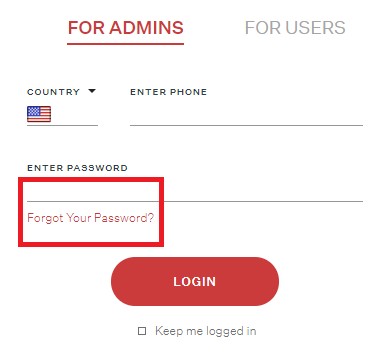
Click “Reset It” to begin the password recovery process.

An Ooma Office Sales Representative will be in touch shortly.
If you do not receive the call within a few minutes, please call: 877-353-5185

An Ooma Office Sales Representative will be in touch shortly.
If you do not receive the call within a few minutes, please call: 877-353-5185

One of our knowledgeable representatives is standing by to provide recommendations and help you get started. Just call 877-621-0515 or click this CHAT button. Or, fill out this form and someone will reach out to you shortly.
An Ooma Office Sales Representative will be in touch shortly.
If you do not receive the call within a few minutes, please call: 877-353-5185
You can recover your Ooma Office password by clicking on the “Forgot Your Password” link at the bottom of the “Login” screen:
Click “Reset It” to begin the password recovery process.