




Last Updated: January 13, 2026
WordPress can install JavaScript widgets like the Ooma Contact Us widget, but there are minimum plan requirements. Before you get started, make sure that you have a Business plan of Creator level or higher.
Follow the instructions below to install the Contact Us widget on your WordPress site:
- Make sure you’ve created the Contact Us widget and generated its code. Copy the JavaScript code to your clipboard.
- Follow the WordPress instructions to install the Header and Footer plugin.
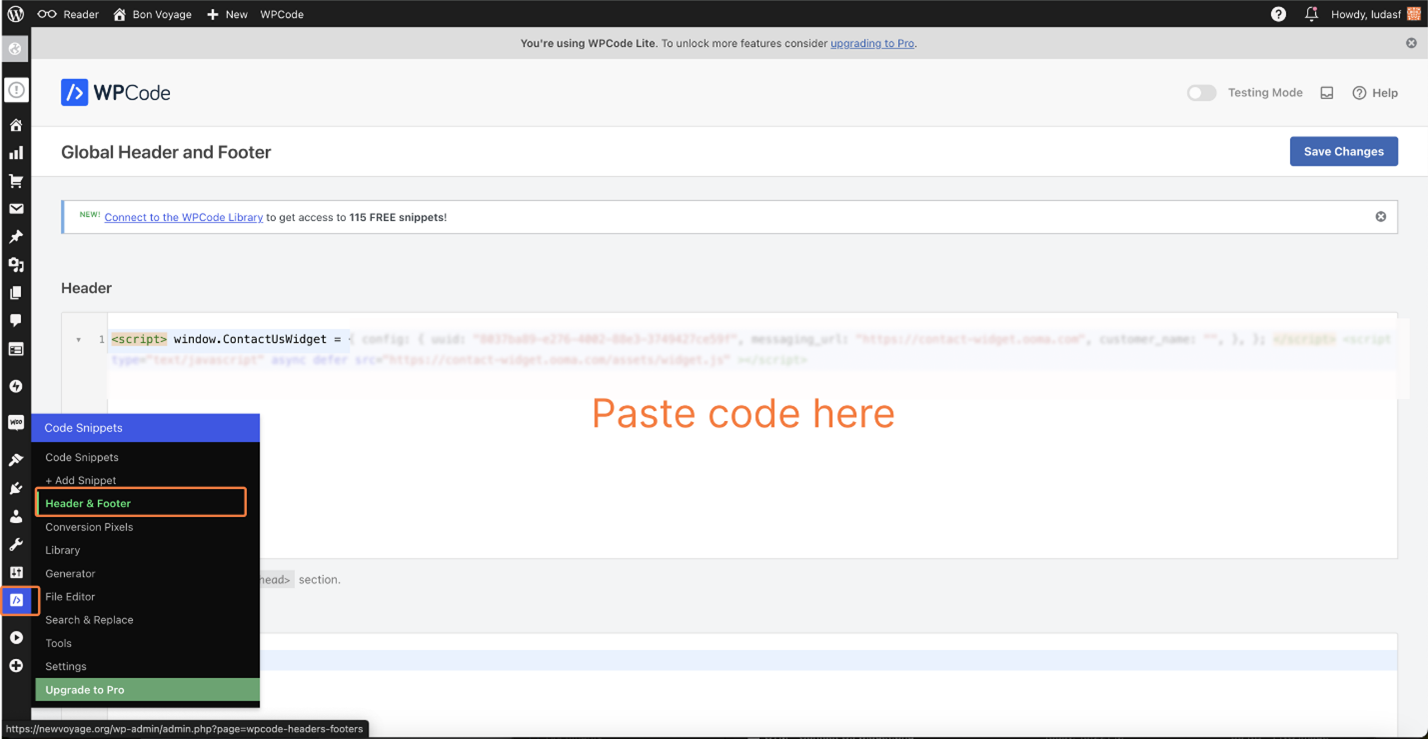
- Go to the WordPress Dashboard and select Code Snippets from the Main Menu.
- Open the Header and Footer menu, then paste the JavaScript code from Step 1 into the Header field:
- Save your changes.
- Refresh your website. The Contact Us button will now appear on every page of your website.