




Last Updated: January 13, 2026
Follow the instructions below to install the Contact Us widget with Google Tag Manager:
- Make sure you’ve generated the Contact Us widget code. Copy the JavaScript code to your clipboard.
- Open Google Tag Manager and go to your workspace. Select the New Tag option:
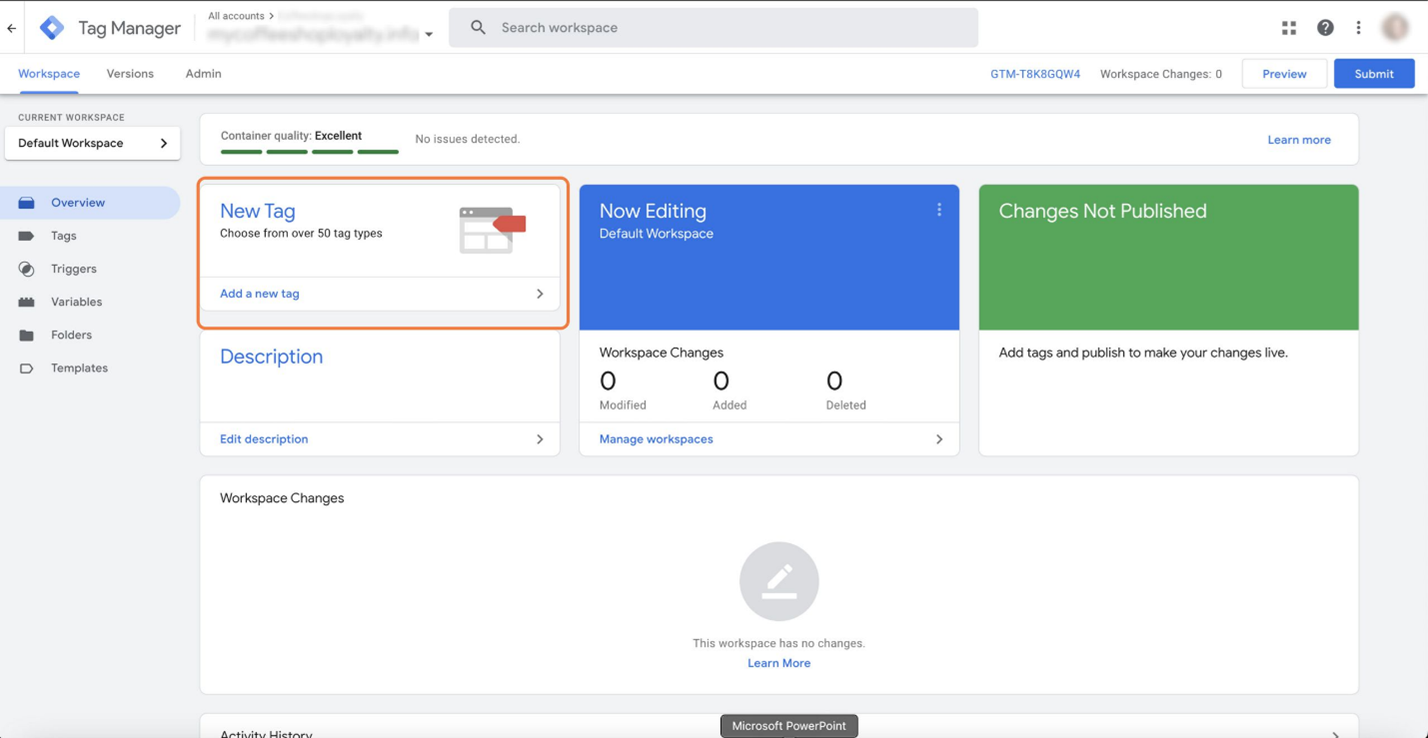
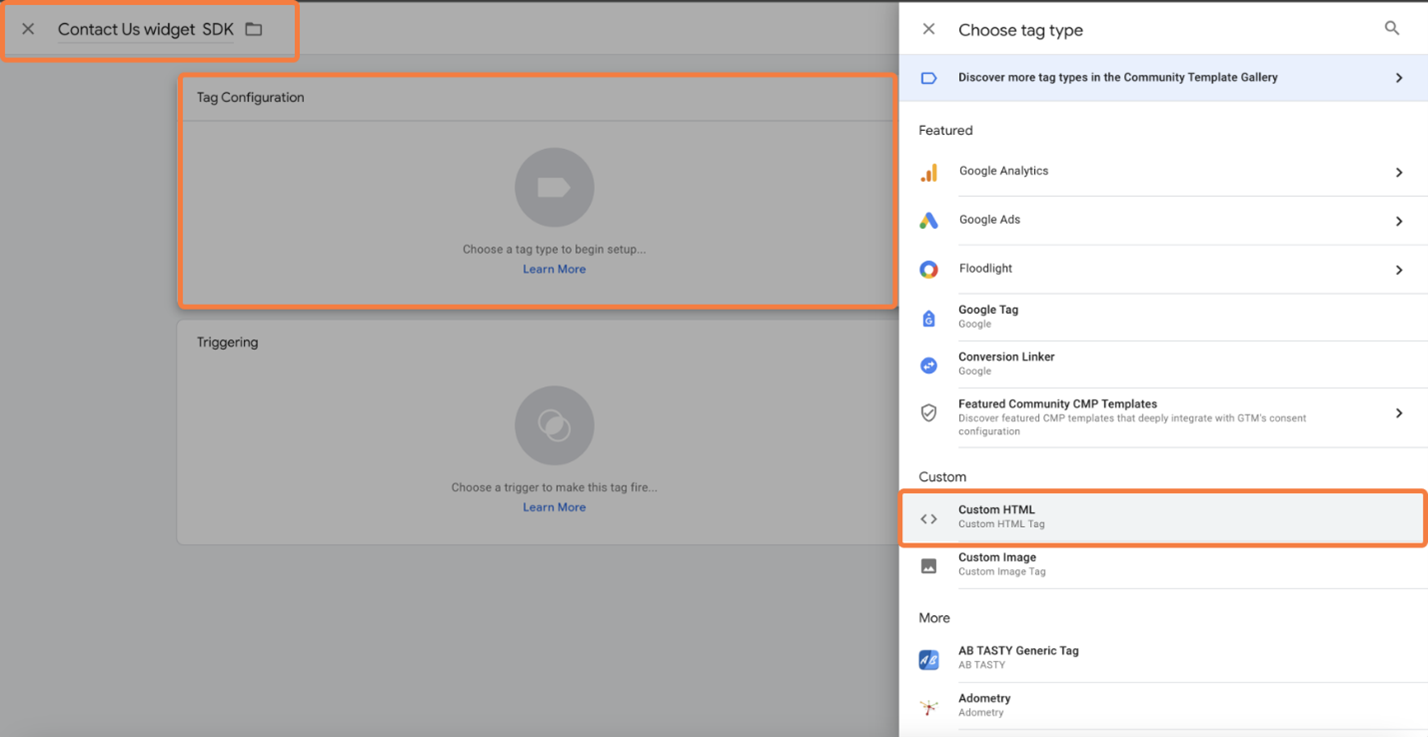
- Give the tag a Name. Then, go to Tag Configuration and select Custom HTML:
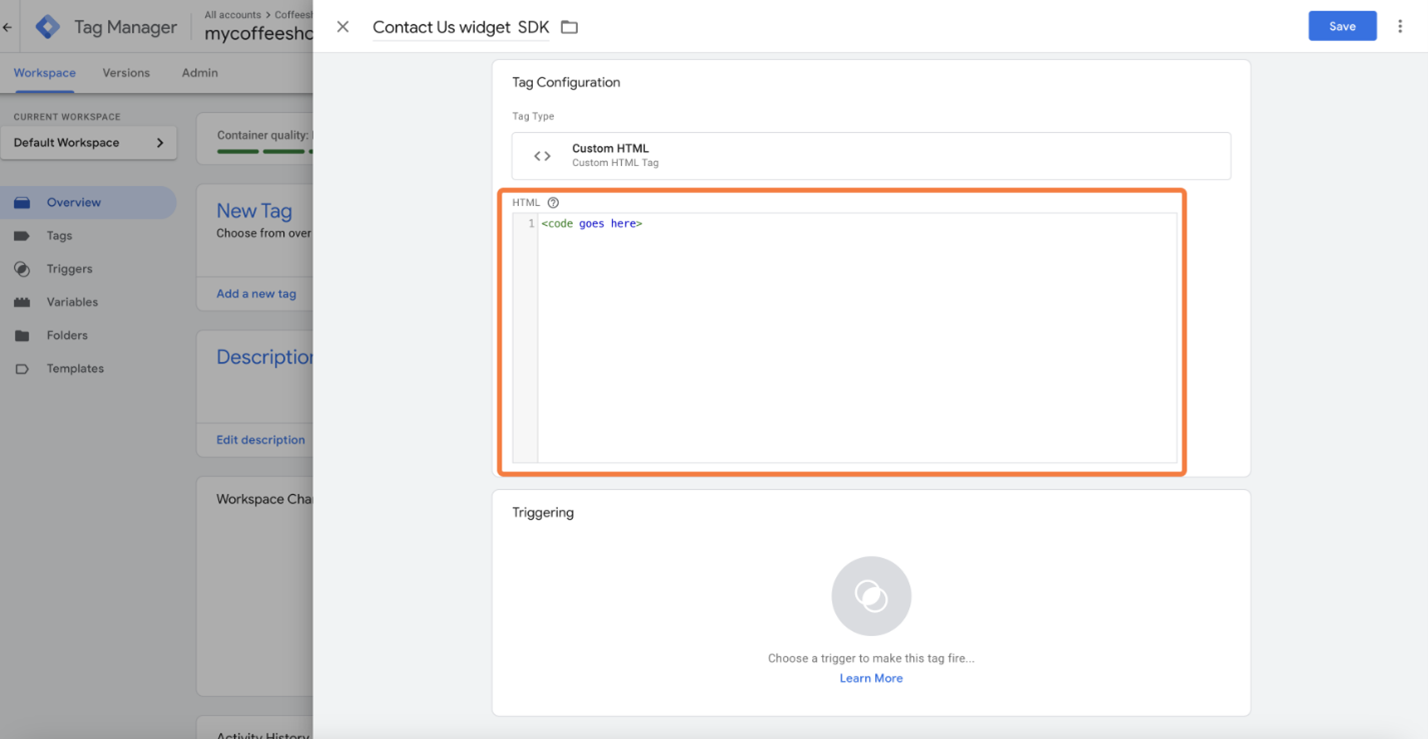
- Paste the JavaScript code you copied in Step 1:
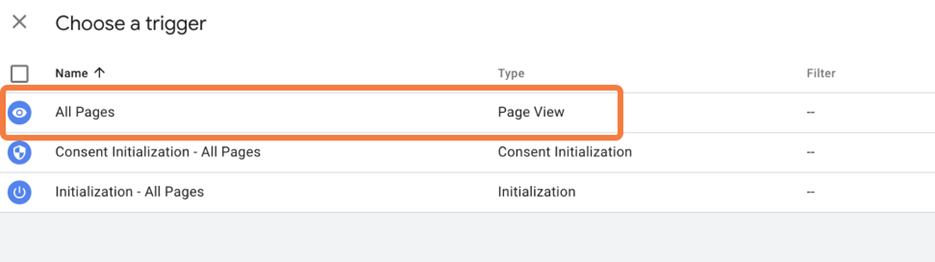
- Open the Triggering section and choose the All Pages trigger:
- Save the new tag. Submit and then Publish a new version of your page.
- Refresh your website. The Contact Us button will now appear on every page of your website.