




Last Updated: July 21, 2025
You can assign a phone number to a different extension by following these instructions:
- Log in to office.ooma.com as an administrator and navigate to Phone Numbers under the Settings page.
- You will see a list of available phone numbers on your account, along with the extension they are currently assigned to:
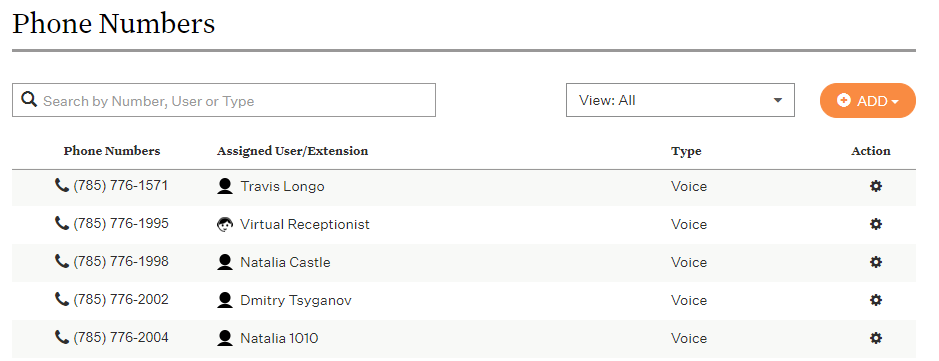 You can direct each phone number to directly dial any extension. An extension can have more than one direct dial phone number.
 - Locate the number you wish to assign and click the corresponding line.
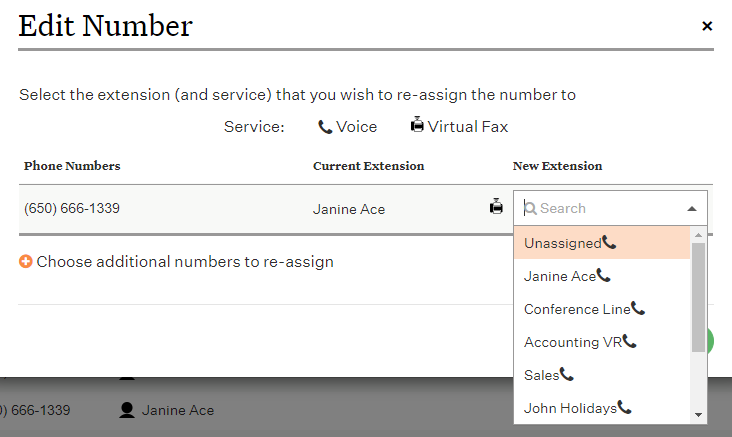
- Choose the number’s new destination from the drop-down menu. You can narrow your search results by typing part or all of the new assignee’s name:
- Save your changes.