




Last Updated: July 21, 2025
You can set up automatic refills to ensure that your employees never run out of funds in the middle of an important call. To get started, follow these steps:
- Log in to office.ooma.com as an administrator and navigate to the Account page.
- Click Prepaid Account.
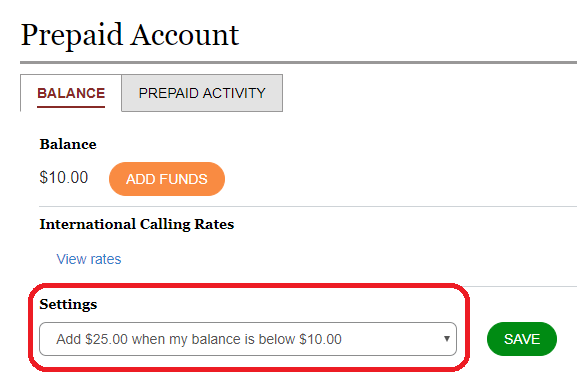
- Locate the Settings section under the Billing tab. Here, you can choose a preset dollar amount that will be added to your Prepaid Account whenever it drops below a certain level:
- Click Save.