


 Introducing
  ,
, 



Last Updated: December 4, 2025
If you forget your password, don’t fret! You can use the Ooma password recovery tool to request that we send a new password to your email. To use the password recovery tool, you can follow these directions:
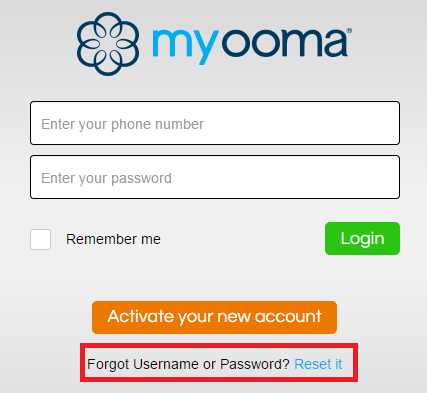
- Navigate to your My Ooma login page and click on “Reset it” as shown below: \
-
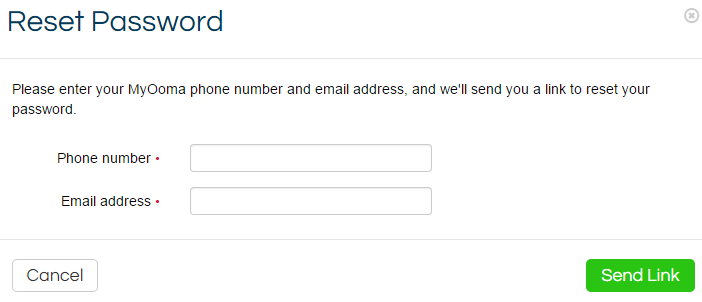
You’ll be taken to a screen like the one pictured below, where you can type in your phone number and email address: \
-
Submit the form and check your email in a couple of minutes to find your new password
- Log into your My Ooma using the new password
When you request a new password using the instructions described above, it is important to reset your password immediately to something you will remember. You can set a new password by following these instructions:
- In My Ooma, navigate to Security under the Account tab
- Under Account Password, type in your desired new password twice, making sure that it is exactly the same each time
- Click on Save
- Enter your temporary password (you can retrieve this from the email you received) to confirm the password change