What is a fax machine? How it works and how to fax using VoIP
 | March 21, 2024 | 9 min read |
Key Points
- A fax machine scans a paper document, converts it into data and transmits it to another fax number for printing or digital storage.
- Businesses can fax over VoIP by connecting a compatible analog fax machine to supported hardware or by using a virtual fax service.
- Ooma Office supports traditional fax machines as dedicated fax extensions and Virtual Fax through the End User Portal or Desktop App.
- Virtual fax can support remote and hybrid workflows, but security depends on the full setup, including access controls and file handling.
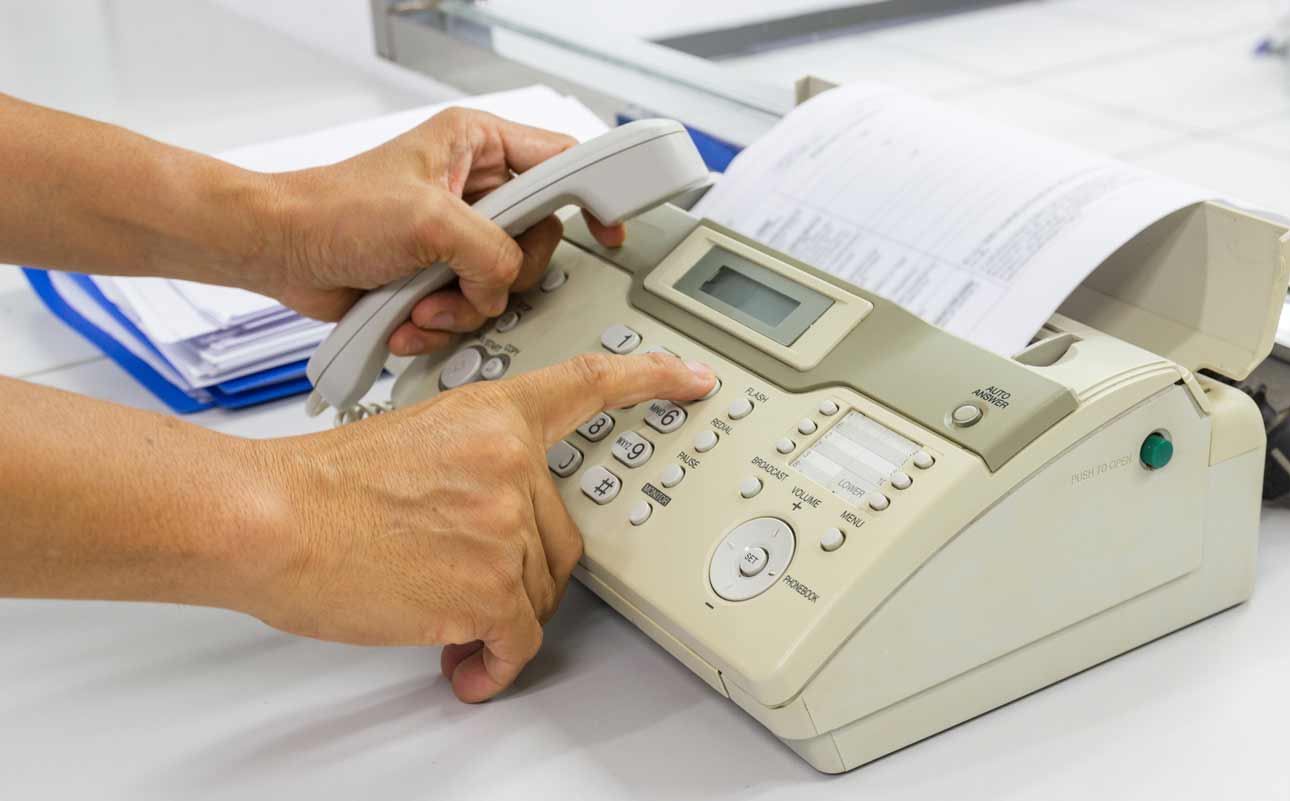
Once upon a time, just about every business office had a fax machine that looked like a wide office phone with a feeding tray. You can probably still spot one collecting dust in the corner of a package shipping store.
A fax machine is a device that scans a paper document, converts it into electronic data and sends it to another fax machine. The receiving fax machine then prints the document or, if you have a machine that has digital reception or Virtual Fax, stores it digitally. Fax machines are less common now, but faxing itself has not disappeared. Businesses can connect a compatible analog fax machine to a VoIP phone system, use Virtual Fax to send and receive digital files, or keep both options available. This guide explains how fax machines work, what they are used for and how to fax using VoIP.
What is a fax machine?
A fax machine, short for facsimile machine, is an office device that combines a scanner, modem and printer to send and receive copies of documents over a phone connection. The sending machine scans a paper page, converts the image into data and transmits it to another machine’s fax number. The receiving machine reconstructs the page and either prints it or stores it digitally.
Before email and cloud storage, faxing gave businesses a fast way to move signed forms, orders, records and notices over long distances. Standalone machines are no longer found in every office, but the basic purpose remains the same: deliver a document to a fax machine.
How does a fax machine work?
Imagine a food manufacturer in Albany, New York needs to send a recall notice to a grocer in Sacramento, California. The sender loads the notice, dials the grocer’s fax number and presses Send.
The Albany machine uses a set of fax protocols to send over the fax. It first uses protocols T.4 and T.6 to compress and format the document for sending. The two machines will then perform a “handshake” where they exchange information that’ll make the transmission possible.
The Albany machine will use other fax protocols to officially send the document. For example, it’ll use T.30 to manage the call and data transfer over traditional phone lines. If it’s being sent over the internet, it’ll use protocol T.38 to convert the analog audio signals into digital packets, which then travel across the internet until they reach the recipient machine, where it’ll convert the digital packets into audio signals again.
There’s also a third protocol it uses, T.37, to send documents digitally to email addresses. Once that’s all handled, the Sacramento machine will receive and decode those signals, reconstructing the document. Depending on the machines and connection, the result may look nearly identical to the original, or at least legible enough to get the message across.
You may hear a familiar screech, sorta like the sound of a dial-up modem, when you’re calling another fax machine. That’s literally the sound of your document being turned into audio frequencies and being sent off to the recipient. You won’t hear that sound when virtual faxing, as the process is a little different. You can just upload a digital file instead of scanning paper. The document will travel to the recipient’s fax machine and come out in the compatible format.
What are fax machines used for today?
Businesses still use fax for patient records, legal forms, insurance materials, government documents, real estate paperwork, purchase orders and other files that must move between organizations using different systems.
Healthcare shows why fax has not vanished overnight. According to the 2025 American Hospital Association Information Technology Survey, 74 percent of responding hospitals often or sometimes sent summary-of-care records by mail or fax in 2025, while 81 percent often or sometimes received them that way. The survey groups mail and fax together rather than measuring fax alone, but it still shows older and newer document exchange methods coexisting.
Law firms and government organizations also still rely heavily on faxing. Why? It’s largely because of compliance with strict security laws. Faxing can be more secure due to its support for sending encrypted documents.
Fax can also be used for advertising, but businesses should review the FCC Rules for Junk Faxes before sending promotional faxes.
Are fax machines going extinct?
Not entirely, but the role of the physical machine is shrinking. Many businesses are replacing a paper-first process with online or virtual faxing while keeping the same basic ability to send documents to a fax number.
Why do some businesses continue to use traditional fax machines?
Not every company keeping a fax workflow is simply afraid of change. Common reasons include:
A customer, agency or partner still requires documents to be sent to a fax number.
Important information begins on paper and has not been digitized.
A long-standing fax number appears on forms, invoices, signs or customer records.
Employees need a familiar process while the organization updates other systems.
Regulated industries like government, healthcare and financial needed secure document transfers.
For some teams, the practical answer is a hybrid setup: keep a physical machine for legacy workflows and give selected employees a digital option.
Where can I fax something?
If your business does not have a fax machine, you may be able to use:
A public library, office supply store, shipping center or commercial copy shop
A hotel or airport business center
A bank or credit union
An online fax service or a VoIP business phone app
Call ahead to confirm pricing, page limits, membership requirements and privacy practices, especially if the document contains sensitive information.
Do you need a fax machine to receive a fax?
No. Virtual faxing lets you receive a fax as a digital file instead of waiting beside a machine. A service can route incoming documents to an email address, web portal or desktop app, depending on the provider and account settings.
With Ooma Office Virtual Fax, incoming faxes can be tied to a user extension and accessed digitally. That can be useful for remote or hybrid teams that still need a fax number but do not want to maintain a shared machine.
Can you use a fax machine with VoIP?
Yes. Ooma Office supports two practical ways to use a fax machine with VoIP: connect a compatible analog fax machine to supported Ooma hardware, or use Virtual Fax to send a digital document from the End User Portal or Desktop App. Choose the workflow that best fits your team:
| Method | Best for | How it works |
|---|---|---|
| Traditional fax machine | Paper-first workflows or teams retaining existing hardware | Connect a compatible analog fax machine to support Ooma hardware. |
| Virtual Fax | Remote, hybrid or digital-first teams | Send a digital document from the End User Portal or Ooma Desktop App. |
How to fax using VoIP with a traditional fax machine
An administrator must first add the machine as a dedicated fax extension. After that, employees can send documents from the machine as they normally would.
- Sign in to Ooma Office as an administrator and open the Settings page.
- Select Add, then User, and enter the information for a dedicated fax extension.
- Choose the Grandstream ATA phone jack, Ooma Office Base Station phone jack or Ooma Linx the machine will use. Assign a phone number, then save the setup.
- When using a Grandstream ATA, open Devices, select the adapter and enable Fax mode for the connected phone port.
- Connect the fax machine with a standard telephone cable. For optimal faxing, Ooma recommends setting the baud rate to 9600 and disabling Error Correction Mode.
- Load the document, dial the recipient fax number, then press Start or Send. No special code is required to reach an outside line.
Review the full Ooma Office traditional fax setup instructions before connecting equipment, especially when confirming the correct device or port.
How to send a Virtual Fax with Ooma Office
Virtual Fax removes the physical machine from the sending process. Once the feature is assigned to a user, the document can be sent digitally in a few steps.
- If Virtual Fax is not already enabled, ask the account administrator to add it to the user extension and assign a fax number.
- Sign in to the Ooma Office End User Portal or open the Ooma Desktop App, then select Send Fax.
- Enter the recipient name or fax number.
- Attach one or more PDF files and add an optional cover page.
- Select Send Fax.
- Open the fax logs to confirm whether the transmission is successful, pending or failed.
Before sending, note that attached files can total up to 10 MB, pages can be no wider than 8.5 inches and landscape pages are not supported.
Color and grayscale files are delivered in black and white. Review the current Ooma Virtual Fax instructions for interface updates and file requirements.
Why send a digital fax instead of attaching a document to an email?
Digital fax is not automatically more secure than every email workflow. Security depends on the provider, account settings, access controls, retention practices and how employees handle the files.
For example, Ooma Office Pro HIPAA mode encrypts media files, including fax attachments, in transit and at rest, and changes how fax email notifications are handled. The HIPAA Security Rule also makes clear that regulated organizations need administrative, physical and technical safeguards, not a single feature or communication channel.
Traditional machines have their own risks. Printed pages can sit unattended, a number can be entered incorrectly, and paper can be stored or discarded improperly. The safer choice depends on the complete workflow.
Virtual faxing can also reduce the cost and clutter of paper, toner and a dedicated machine. It is most useful when employees need access from more than one location or want documents to enter a digital process from the start.
What should you check when faxing over VoIP?
If a fax does not go through, start with a few basic checks instead of changing several settings at once:
- Confirm the recipient number, the assigned fax extension, cable connection and selected adapter port.
- Try a smaller black-and-white document and review the machine settings recommended for the service.
- Check the transmission report or Virtual Fax log, then note which document, destination or setting failed.
Physical fax performance can vary by machine, adapter, settings and connection quality. Testing the actual equipment and workflow is the best way to identify problems before an important document is due.
How do you fax?
Faxing remains a useful option when a customer, partner or agency expects documents to arrive at a fax number. Depending on your needs, you can:
- Use a traditional fax machine
- Ask a third party to send the document
- Use an online or Virtual Fax service
- Combine a physical machine with digital faxing
Moving to an internet phone system does not mean giving up faxing. Explore Ooma Office faxing options to compare traditional faxing and Virtual Fax for your team.
Learn more about how Ooma Office can help your business.
Thank you!
An Ooma Office Sales Representative will be in touch shortly.
866-573-0707

Learn more about how Ooma Office can help your business.
Just call 877-621-0515 or click this to CHAT. Or, fill out this form and someone will reach out to you shortly.
Jim Gustke, vice president of marketing at Ooma, has a wealth of experience at the intersection of consumer and technology marketing. As vice president of marketing for Intuit, he helped lead the reinvention of Quicken and launch the first SaaS version of the popular personal finance software. Prior to Intuit, he was responsible for business unit management, global branding and product marketing at Lexar Media, helping grow the flash memory company to over $850 million before its acquisition by Micron Technology. He also served as the founding vice president of marketing for Ofoto, an online photography service, acquired by Eastman Kodak in 2001. A pioneer in internet marketing, he joined America Online in 1996 as the marketing leader for GNN, the company’s first Internet Service Provider, and in 1995, as a marketing manager at Polaroid Corporation, he led the team that launched the company’s first corporate website.