Secure videoconferencing for depositions, hearings and other legal proceedings
 | December 31, 2025 | 5 min read |
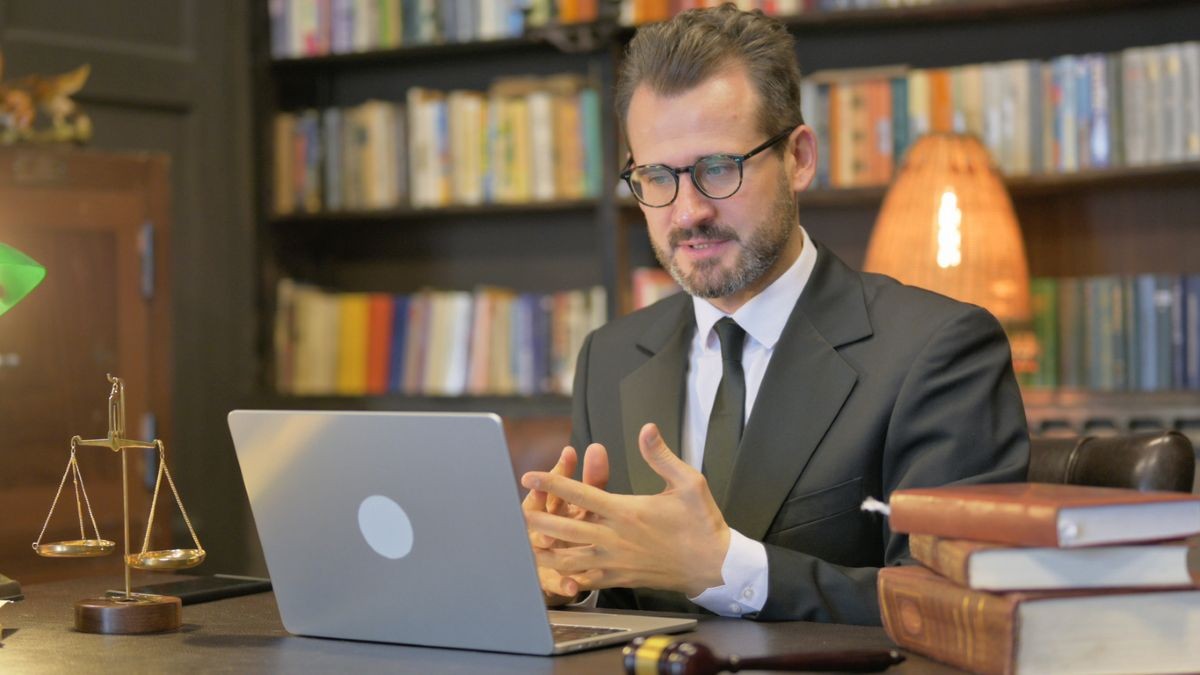
The pandemic accelerated the adoption of video depositions, and in the years since, they’ve remained a common part of legal practice. The main reason is versatility, which allows attorneys to adapt to the specific needs of each case. Video depositions are a valuable tool, but they’ve also opened the door to broader videoconferencing use across law offices. This includes hearings, meetings with clients and more.
While videoconferencing tools vary by court, jurisdiction, and proceeding type, preparation and professionalism remain consistent requirements across the legal industry.
Before relying on videoconferencing for remote legal proceedings, there are several important considerations to keep in mind.
How to videoconference as a lawyer
Virtual depositions and other legal proceedings are much more formal than other video meetings, like a quick team check-in. This means there are some general principles that should apply and will help make you look more prepared and professional.
Set up your meeting space
Videoconferencing isn’t just about showing up and being mentally prepared to engage, it’s also about presentation. Think of the frame in which you appear, and how the other people on the call will perceive and focus on you and not get distracted by chaos in the background. You’ll want to set up your space to appear as focused and tidy behind you as possible.
Be sure to do a mock video call ahead of time so you can test the following:
The lighting. Set up your lighting so that it makes you look your best. Make sure your face comes through clearly and your features are easy to make out. However, don’t overdo it either. You don’t want to look like a ghost, just make sure your space is lit well enough that people can see the color in your face.
Frame it! You’re going to want to position your camera so that your shoulders and head are both visible and in the center of the frame. This will make it easier for other people to see you. Be sure not to just get your neck and head, but keep your face fully in the frame so you don’t have the top of your head looking chopped off. Generally, you want a gap between the top of your head and the edge of the frame.
Design your background. Ideally, you want a background that is real and showcases something about you or your practice. Find a space in your office where you can do some light interior design to make it look simple and professional. Maybe in front of a bookshelf, with some plants. Or, perhaps, your diploma hanging on the wall. You want it to look good but also not so distracting that people are searching your background instead of listening to you talk. Keep it simple, chic and pleasant.
Test your connection. This is important! Make sure your internet connection is strong, and also make sure your computer and software are updated before you do any video meetings. You do not want your computer to force you to restart because of a software update, kicking you out of the meeting. You can also make sure any accessories, like a video camera or mic, are working properly.
Prepare for the meeting
Preparation is essential to success, and you need to make sure you have everything you need before the call gets started. If this means a presentation that displays information, then have that ready to go and tested well before the meeting. If there are documents you need to share, have those ready too. This also includes checking the details for the meeting, like the time, the subject, the meeting link, the password; make sure everything is good to go.
Learn how to use the videoconferencing software
Nothing slows down a meeting like someone fumbling with the share button or not being aware they’re muted. You may not always get to choose what videoconferencing platform you’re using, especially because there are specialty video deposition platforms and courtrooms often choose something like Zoom that everyone must use.
Look at the link to determine which platform you’re using and do some quick research to find out what the user interface looks like. This way you confidently know where the mute and screen-sharing controls are located (and how they work!).
Dress for the occasion
This should go without saying, but make sure you’re dressed well and properly groomed. It doesn’t matter where you are conducting the video meeting, dress like you’re going into court. And no, don’t just change your top and wear sweatpants. The more complete your outfit, the better and more confident you’ll feel.
Be you
Confidence matters. You’ve done the work, you know the case, and you understand your client’s position. It’s okay to be nervous, but the best way to do well in these scenarios is to just be yourself and let your knowledge flow.
Prepare your client
Now that you’re ready, you can prepare your client. A lot of what they need to know is what we just went through. So make sure they do the following:
- Understand what will happen during the proceeding
- Dress professionally
- Choose a quiet, well-lit location
- Test equipment in advance
- Know how to mute and unmute
- Join early (or at minimum, on time)
- Get adequate rest beforehand
Videoconferencing has become a lasting part of modern legal practice. While the technology itself may change, careful preparation, clear communication, and professional presentation remain essential to successful virtual proceedings.
Communicating with clients
To get your client ready for a video deposition, clear communication is essential. Many firms rely on VoIP phone services like Ooma Office to stay connected with clients before important proceedings. It can go a long way to improving calls with clients thanks to features like the ability to answer phones on the go with the Ooma Office Mobile App.
A VoIP phone service also makes it easier to access client information during phone calls thanks to the Ooma Office for Clio integration. You can manage and look at case details during your phone conversations, helping you be on top of things and appear more professional.
FAQs
Are video depositions still common after the pandemic?
Yes! While they’re not as commonplace as they were during the pandemic, video depositions still happen. There are entire companies dedicated to video depositions.
What mistakes should lawyers avoid during videoconferencing?
The biggest mistakes are not looking professional, not being prepared and joining the video call late.
Learn more about how Ooma Office can help your business.
Thank you!
An Ooma Office Sales Representative will be in touch shortly.
866-573-0707


Learn more about how Ooma Office can help your business.
Just call 877-621-0515 or click this to CHAT. Or, fill out this form and someone will reach out to you shortly.
Mark Vogel, Director of Product Marketing for Ooma, Inc., is an accomplished marketing leader with 12 years of experience in high-growth SaaS, AI and CX industries. He specializes in transforming customer experiences and driving business success through innovative technology solutions.